EC1309V2
User Guide 1 EC1309V2
3
1
Power indicator.
z If the indicator is in green, it indicates that the
STB is in active mode.
z If the indicator is in red, it indicates that the STB is
in standby mode.
2
Link indicator.
z If the indicator is in green, it indicates that the
STB is connected to the network.
z If the indicator is in red, it indicates that the STB is
disconnected from the network.
3
Infrared indicator.
If the indicator blinks, it indicates that the STB is
receiving signals from the remote control.
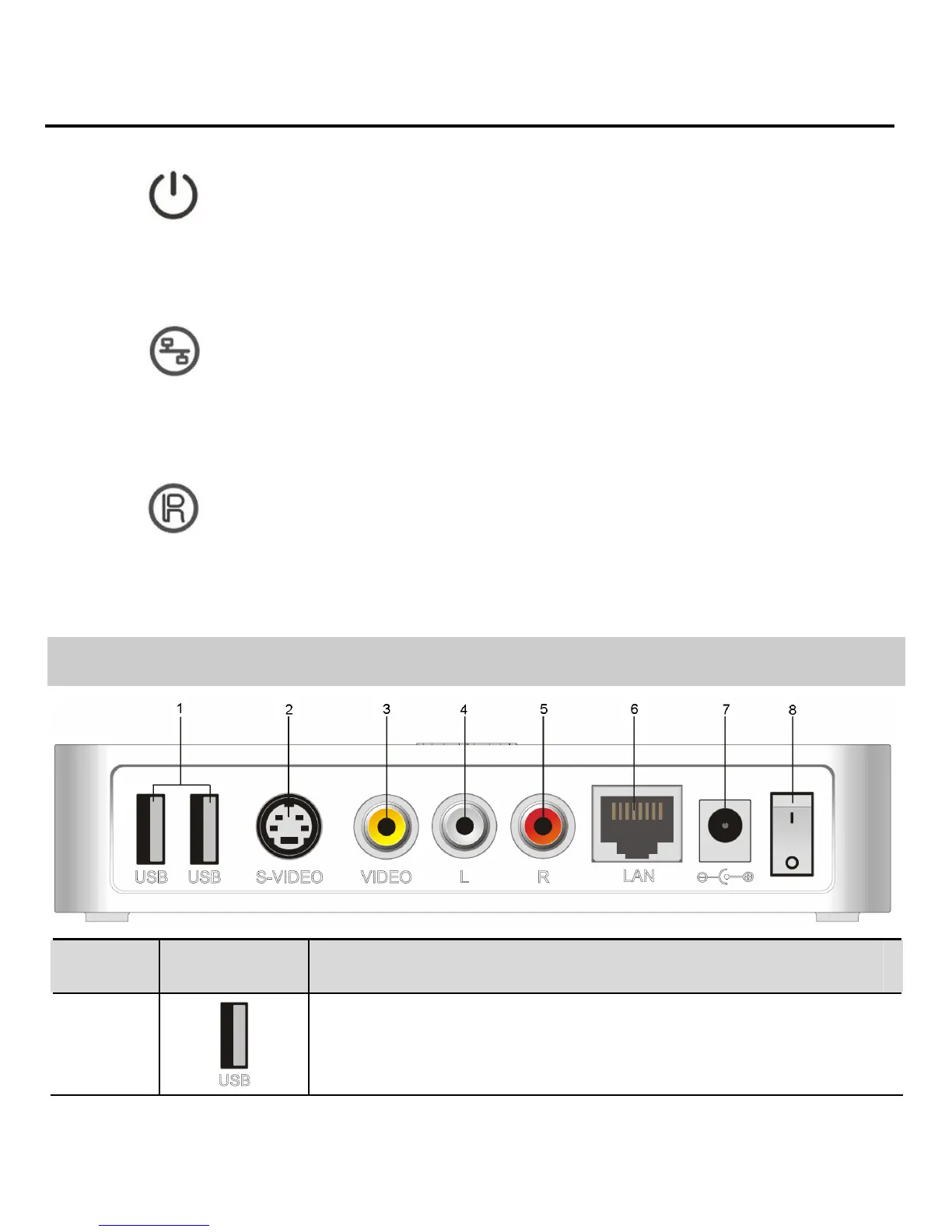
Rear Panel
No. Name Description
1
USB 2.0 port, allow optional features as
requested by operator.


 To Next Page