EC1309V2
User Guide 2 Remote Control
6
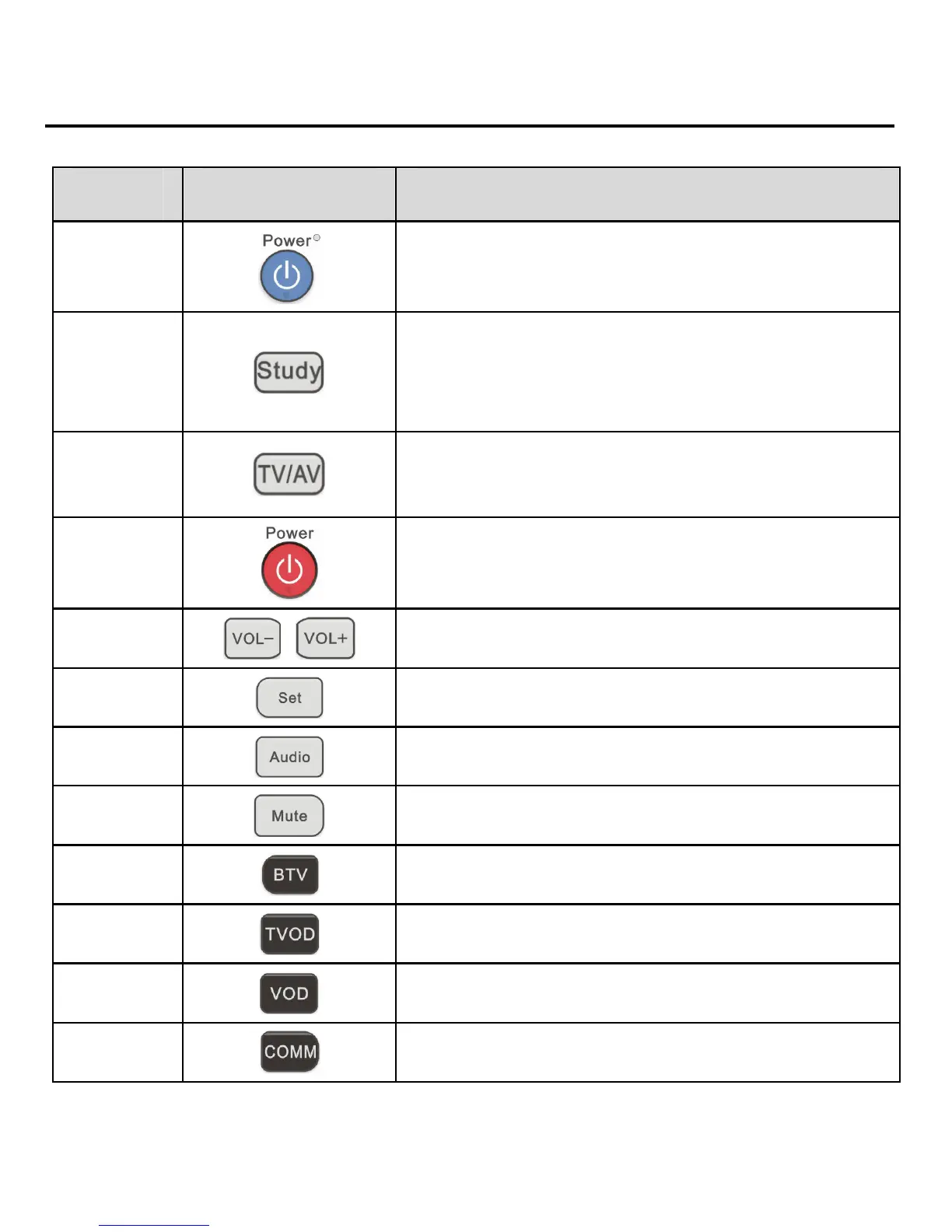
No. Key Description
1
Switch the status of TV Set between
working and standby.
2
Study the functions of a TV remote
control. For details, see Instructions for
Studying Key Functions.
3
Switch the video output of a TV
between AV and TV.
4
Switch the status of STB between
working and standby.
5
Adjust the volume of a TV.
6
Access the setting page.
7
Switch between audio channels.
8
Mute or unmute audio.
9
Shortcut to Live TV channel list.
10
Reserved key (defined by EPG).
11
Access the VOD main page.
12
Reserved key (defined by EPG).



 To Next Page