EC1309V2
User Guide 2 Remote Control
7
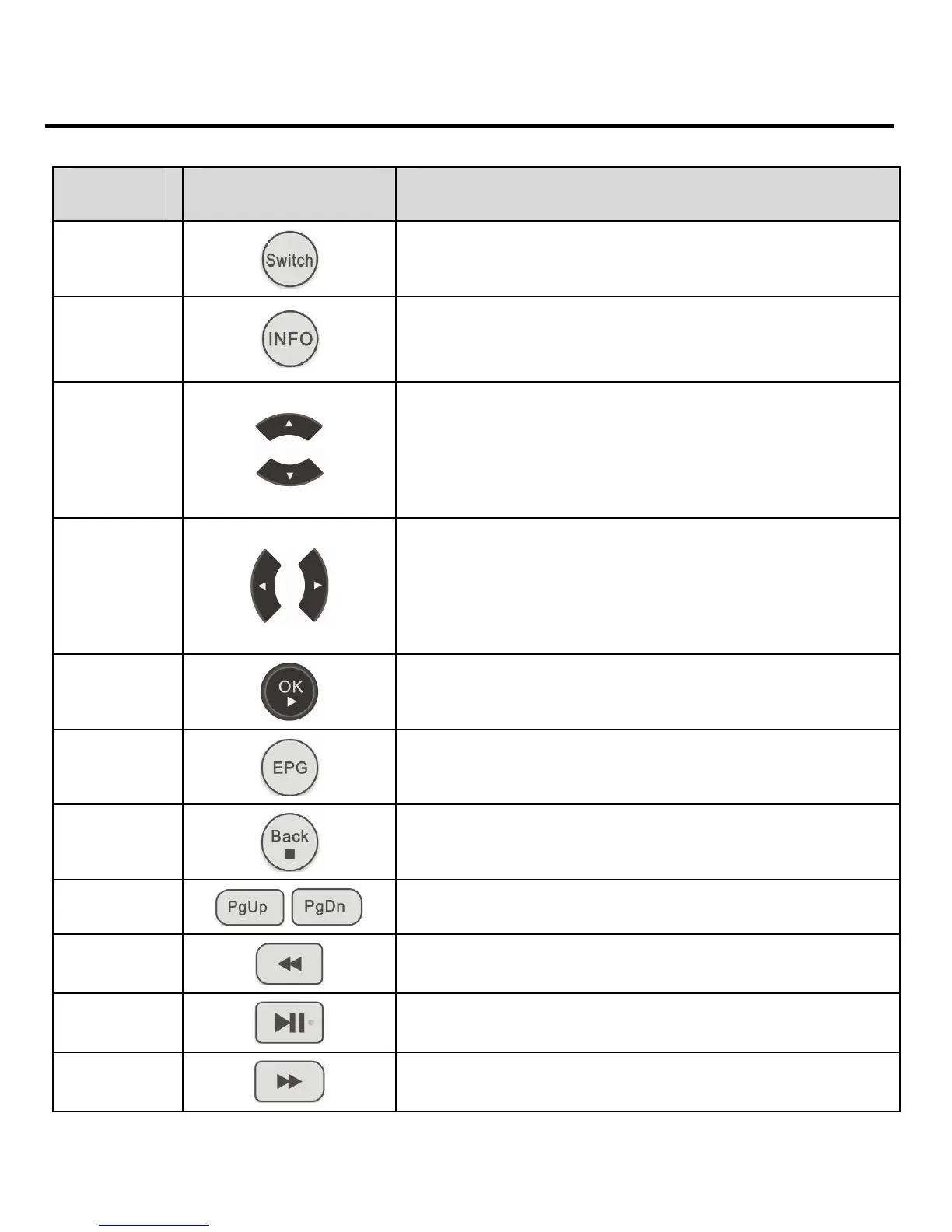
No. Key Description
13
Switch key (defined by EPG).
14
Display the information about the
current program.
15/17
z Change channels.
z Move the cursor upward and
downward on the EPG.
16/18
z Control sound volume.
z Move the cursor leftward and
rightward on the EPG.
19
Confirm an operation.
20
Access the EPG homepage.
21
Access the previous page.
22/23
Switch to the previous/next page.
24
Fast rewind a program.
25
Play or pause a program.
26
Fast forward a program.


 To Next Page