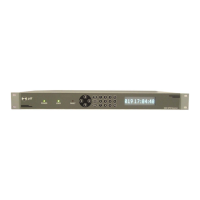
5.5.4. Status Screens
There are a number of status screens that are selected by pressing
F2 from the time, menu or position screens. The status screens
are “toggled” with the up/down keys. Which screen you are on is
indicated by a number in the lower right-hand corner.
#1 is the version and the number of satellites being tracked, and a
position status. The position status can be:
"CMPL": the positioning has completed, but the mode of operation
is still "Survey".
"FIXED": the positioning mode is fixed.
"POS:n": where 'n' is the number of position fixes that have been
completed. This is shown when the unit is currently surveying a
position.
#2 is some information about the control loop. LOOP shows
whether the loop is "OK" or in HOLDover. PH is the current phase
measurement, in 1ns steps. CV is the control value DAC setting to
the internal oscillator. This is a filtered number and is
dimensionless.
#3 is the current position. This will update if the unit is currently
surveying a position. Otherwise it is the 'fixed' position.
F1 shows the position information and it is always the 'Fixed'
position. This means that it does not update if the user is surveying
a new position. This is the position that the unit will use if the user
puts the unit into 'Fixed' positioning mode.


 To Next Page
 Loading...