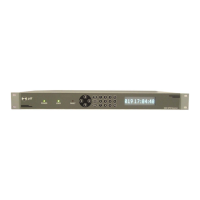
The <Down Arrow> scrolls to the next menu and the <Up Arrow>
scrolls to the previous menu. Pressing the <menu> key at any time
while in the main menu screens returns the user to menu 1.
While in any of the main menu screens, pressing <enter> allows the
set-up parameters for that menu to be entered. The menus come in
two basic forms, either numerical entry or selection of a mode from a
list.
For numerical entry, once <enter> has been pressed from the main
menu the parameter can be entered by using the keypad numerical
keys. Once the correct number has been entered, pressing <forward
arrow> will confirm the number entry and take the user to the next
parameter. Pressing <enter> will accept the number and take the
user back to the menu screen. Number selections can be cleared by
pressing <back arrow>.
The following paragraphs describe the key functions while the user is
within the different types of sub menus for data entry/parameter
selection.
Edit Number sub menus
Use number keys 0 to 9 to enter number
Press <enter> to accept number
Press <back arrow> to backspace (clears last number entered)
Press F1 to enter negative numbers
Press F2 for decimal point
Press <up arrow> to return to previous menu
Press <menu> to cancel entry
Note: for date, time, and IP entries the unit automatically “skips” over
the slashes (for date), colons (for time), and decimal points (for IP
data), once sufficient numbers have been entered.
Select from a list of options sub menus
Press <enter> to accept selected option/item
Press <forward arrow> to move to the next selection/item
Press <back arrow> to move to the last selection/item
Press <menu> to cancel
Press <menu> at any time to return to menu 1
The following pages show the flow of the various menus, with their
related set-up parameters.


 To Next Page
 Loading...