12286 Rev 2 Page 4 of 4
1.1 General Description
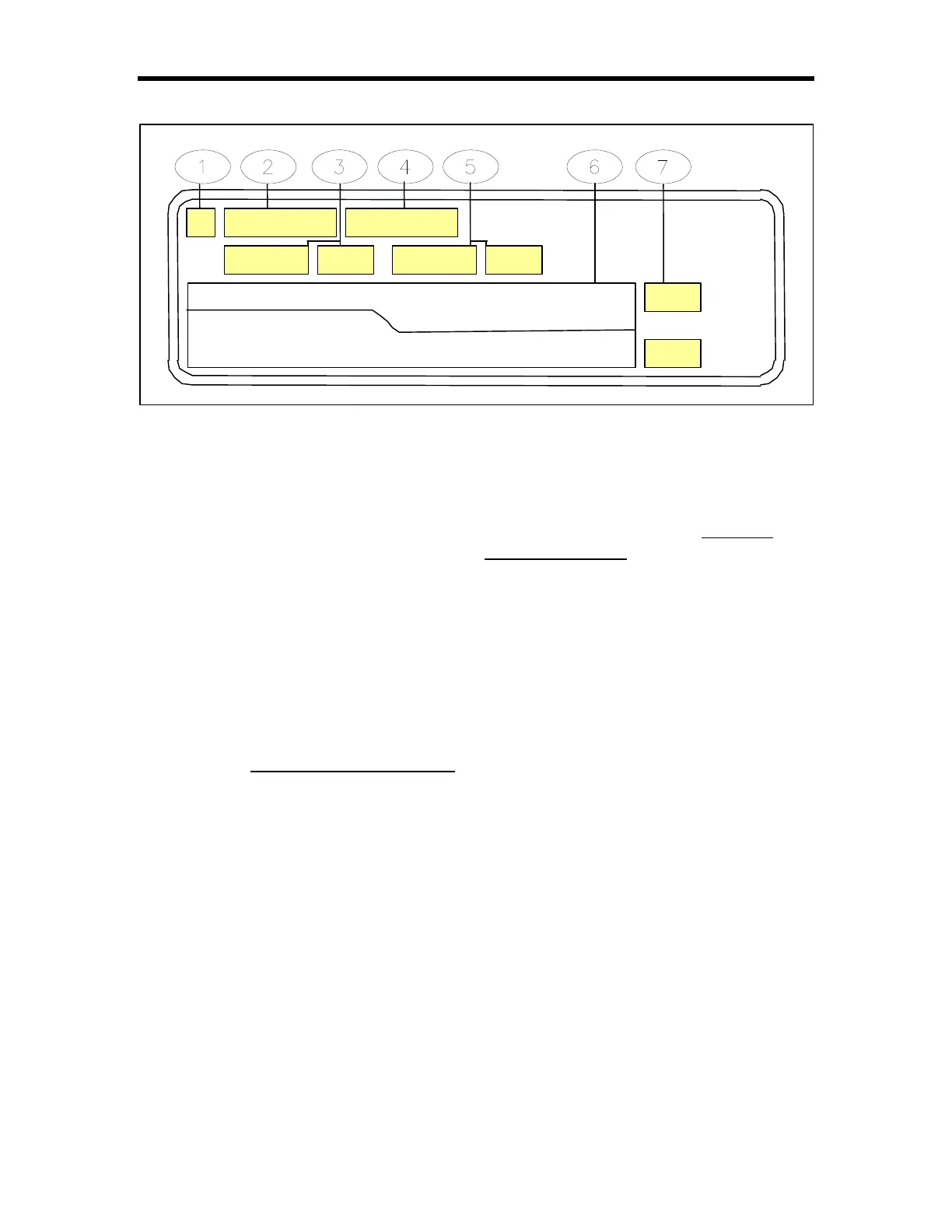
Display TIM-100/200
•• Selection Indicator An asterisk
symbol [*] will appear in the selection
indicator box when a menu item is
chosen by pressing the asterisk key [*]
on the keypad.
‚‚ Menu Item Name The menu item
name display indicates the current
menu item available for modification.
The user can scroll the menu by using
of the arrow keys on the keypad.
ƒƒ Exhaust Set Point The label “Pres
S” or “Flow S” on the display, indicates
whether the unit is capable of pressure
or flow set point control. The number
indicates the currently active (desired)
set point. Depending on the SENTRY
model, this value will indicate pressure
(in. H
2
O, mm H
2
O) or flow (CFM).
There may be an implied decimal point.
Refer to the controller manual for
details.
„„ Menu Item Value The menu item
value display indicates the current set
value for the menu item displayed.
…… Process Exhaust (Actual) Read-
Back The label “Pres” or “Flow ” on
the display indicates whether the read-
back is in units of pressure or flow.
The number indicates the currently
achieved (actual) process exhaust
read-back. Depending on the
SENTRY model, this value will indicate
pressure (in. H
2
O, mm H
2
O) or flow
(CFM). There may be an implied
decimal point. Refer to the controller
manual for details.
†† Graphical Display The graphical
display provides a real-time plot of the
process exhaust read-back.
‡‡ Full Scale Process Exhaust The
full-scale process exhaust indicates the
factory configured full-scale range of
the unit being operated. Depending on
the SENTRY model, this value will
indicate pressure (in. H
2
O, mm H
2
O) or
flow (CFM). There may be an implied
decimal point. Refer to the controller
manual for details.
SS
StptMode
Single
Pres
S
1700
1713
2000
0



 To Next Page