12286 Rev 2 Page 3 of 4
1.1 General Description
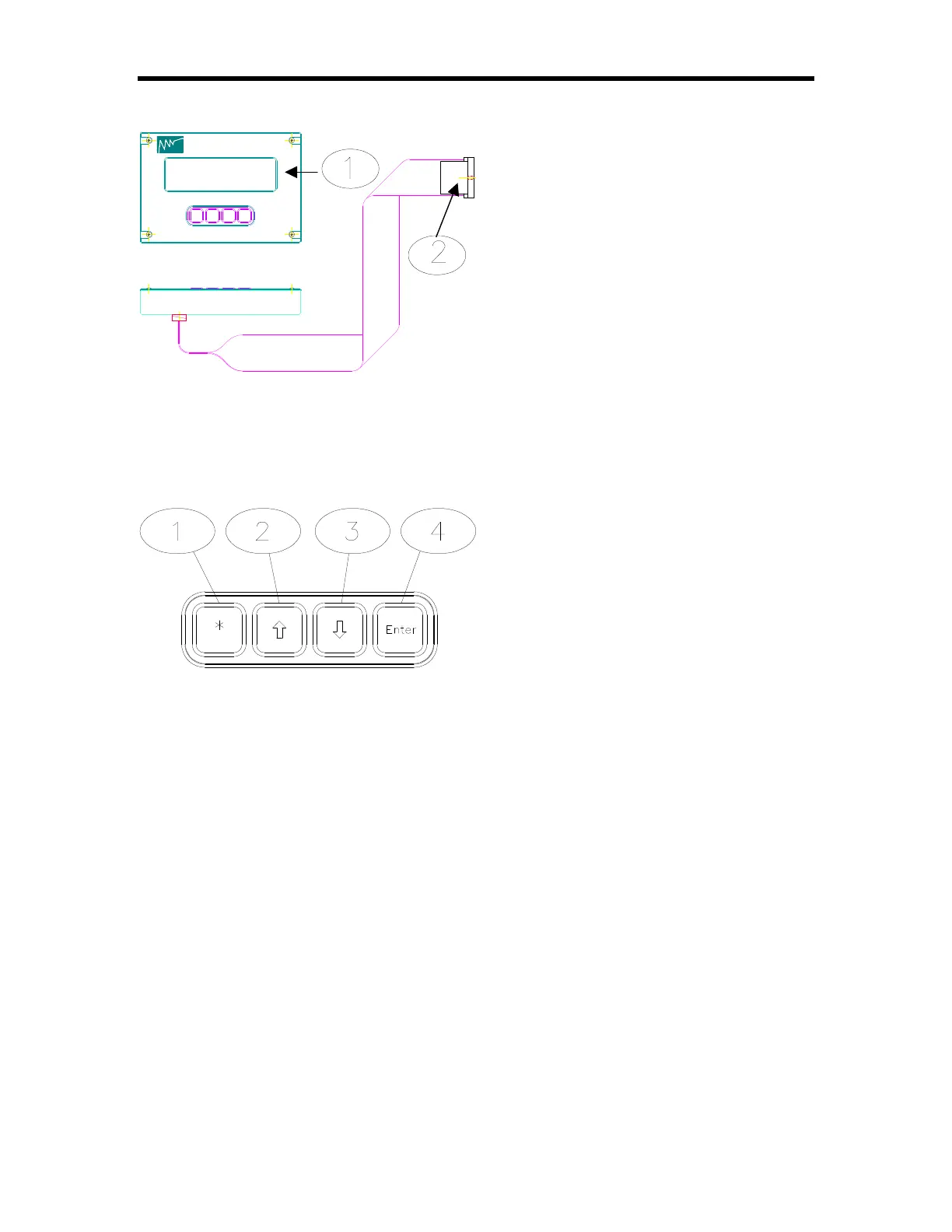
SENTRY TIM-200 Program Module (Optional)
•• Program Module contains the LCD
display and keypad for use with the
TIM-120. It provides access to a TIM-
120’s command menu similar to that
found on the TIM-100. The Program
Module is used in initial set up and/or
servicing and is not required for
normal operation.
‚‚ Program Module Interface Cable
connects the Program Module with the
TIM-120. The cable plugs into a
receptacle inside the TIM-120. The TIM-120 front cover must be removed for
access to the receptacle.
Keypad (TIM-100/200)
•• Asterisk Key [*] Asterisk key
enables a menu item to be modified.
When the star key is depressed on the
keypad. An [*] will appear in the
selection indicator box (see page 8).
‚‚ & ƒƒ Up Arrow [áá] and Down
Arrow [ââ] Keys Arrow keys allow the
user to scroll through the menu items.
Once a menu item is chosen using the asterisk key, the arrow keys allow the
user to select a value or option available under the individual menu item.
„„ Enter Key [ENT] Enter key is used to enter into memory the selected menu
item that has been changed. Any change made to a menu item is only activated
after the enter key is pressed.
ROGRESSIVE
ECHNOLOGIES
P
T
NC.
I



 To Next Page