Need help?
Do you have a question about the PTZ Optics PT-JOY and is the answer not in the manual?
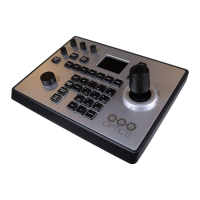
Details the construction, LCD module, ONVIF support, and built-in web server of the joystick controller.
Highlights ONVIF support, offline search, multi-brand compatibility, PTZ presets, configurable parameters, and 4D joystick controls.
Illustrates the network setup, emphasizing that the keyboard and cameras must be on the same LAN subnet.
Lists key technical details including main chip, power, ports, protocols, operating conditions, dimensions, weight, and warranty.
Guides users through connecting, setting language, and configuring IP addresses (DHCP or Static) for network communication.
Explains how to search for ONVIF cameras, add them to the controller's memory, and manage login credentials.
Details how to cycle through added cameras using PREV/NEXT keys and discrete selection via the IP key.
Covers using the joystick and buttons for Pan, Tilt, Zoom, Focus, Iris, and speed control.
Describes saving camera positions as presets and recalling them using the PRESET and SHOT buttons.
Details accessing the camera control interface via a web browser, including login and language selection.
Explains modifying network settings like IP address type (DHCP/Static) and port parameters through the web interface.
Covers managing user accounts, roles (Super Admin, Admin, Operator, Visitor), and permissions for accessing the controller.
Provides instructions on updating the keyboard's firmware using a firmware file via the web interface.
Explains resetting the keyboard to its default factory settings, including clearing saved configurations and camera data.
Details the process for restarting the keyboard, typically after changing IP settings or performing other configurations.
 General
| Brand | PTZ Optics |
|---|---|
| Model | PT-JOY |
| Category | Electronic Keyboard |
| Language | English |


 To Next Page