EasyManua.ls Logo

Pulsar Ultraviolet 405-PUV-100-02 - User Manual

Default Icon
28 pages
Print Icon
To Next Page IconTo Next Page
Loading...
Operaon & Installaon Instrucons
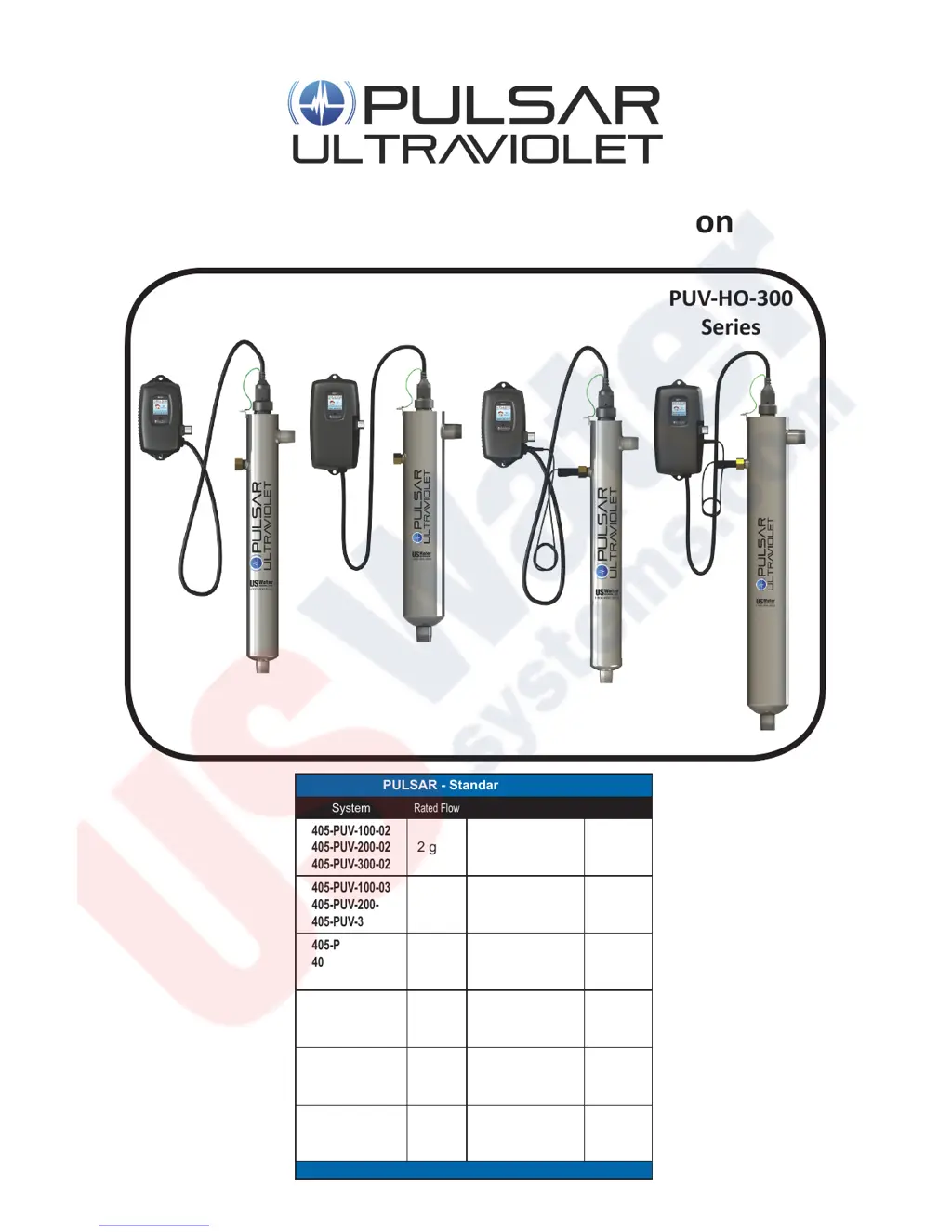
PULSAR - Standard Systems
System
Rated Flow
System
Rated Flow
405-PUV-100-02
405-PUV-200-02
405-PUV-300-02
2 gpm
405-PUV-HO-100-04
405-PUV-HO-200-04
405-PUV-HO-300-04
4 gpm
405-PUV-100-03
405-PUV-200-03
405-PUV-300-03
3 gpm
405-PUV-HO-100-10
405-PUV-HO-200-10
405-PUV-HO-300-10
10 gpm
405-PUV-100-06
405-PUV-200-06
405-PUV-300-06
6 gpm
405-PUV-HO-100-14
405-PUV-HO-200-14
405-PUV-HO-300-14
14 gpm
405-PUV-100-10
405-PUV-200-10
405-PUV-300-10
11 gpm
405-PUV-HO-100-25
405-PUV-HO-200-25
405-PUV-HO-300-25
25 gpm
405-PUV-100-15
405-PUV-200-15
405-PUV-300-15
15 gpm
405-PUV-HO-100-40
405-PUV-HO-200-40
405-PUV-HO-300-40
40 gpm
405-PUV-100-20
405-PUV-200-20
405-PUV-300-20
21 gpm
PUV-200
Series
PUV-HO-200
Series
PUV-300
Series
PUV-HO-300
Series

Questions and Answers

  • M
    morganleonAug 2, 2025
    How to fix low UV intensity in Pulsar Ultraviolet 405-PUV-100-02?
    • M
      millerdominiqueAug 2, 2025
      If the Pulsar Ultraviolet Water Filtration System displays a low UV intensity, you should first remove and clean the quartz sleeve and sensor. Also, verify that your water quality meets the requirements specified on page 5 and consider adding filtration if needed. If the issue persists, replace the lamp.
  • E
    Emily YoungAug 7, 2025
    What to do if Pulsar Ultraviolet 405-PUV-100-02 Water Filtration Systems detect a problem with the lamp?
    • W
      Wendy HornAug 7, 2025
      If the Pulsar Ultraviolet Water Filtration System detects a problem with the lamp, try resetting the lamp protection circuit by unplugging the unit for 10 seconds. If the problem continues, replace the lamp with the correct part number as indicated on the silver label located on the reactor or on the Maintenance parts screen.
  • Q
    quinndavidAug 12, 2025
    What to do if UV sensor is no longer communicating with Pulsar Ultraviolet 405-PUV-100-02 Water Filtration Systems?
    • J
      Joshua MitchellAug 12, 2025
      If the UV sensor is no longer communicating with the Pulsar Ultraviolet Water Filtration System, first ensure that all modules are properly connected to the system and to each other. Modules can be tested individually by plugging them in one at a time and cycling power to the system. Replace any module that is not detected when plugged directly into the controller.
  • A
    Andrew SuarezAug 17, 2025
    Why is my Pulsar Ultraviolet 405-PUV-100-02 lamp on but not disinfecting?
    • L
      Lisa MilesAug 17, 2025
      If the lamp in your Pulsar Ultraviolet Water Filtration System is powered and visibly illuminated but not disinfecting properly, it may be due to the lamp's age. Replace the lamp with the correct part number as indicated on the silver label on the reactor or on the Maintenance parts screen.
  • M
    misty30Aug 21, 2025
    What to do if Pulsar Ultraviolet 405-PUV-100-02 says lamp key is missing or incorrect?
    • J
      Jeffrey ScottAug 21, 2025
      If the Pulsar Ultraviolet Water Filtration System indicates a missing or incorrect lamp key, ensure the lamp key (packed with the lamp, on the connector) is installed. If it is already installed, try unplugging and reinstalling the key. Also, verify that the key part number matches the lamp listed on the Maintenance Parts screen.
  • C
    Christine ThomasAug 27, 2025
    What happens if wrong lamp or sensor installed in Pulsar Ultraviolet 405-PUV-100-02?
    • M
      Melinda DiazAug 27, 2025
      If the wrong lamp or sensor is installed in the Pulsar Ultraviolet Water Filtration System, replace the component with the proper model as indicated.

Summary

Safety Considerations

Before You Begin

Water Quality Parameters

Assembly

Pulsar-HO Assembly Components

System Sizing

Location

Installation

System Disinfection

Cleaning the Quartz Sleeve

Cleaning the UV Sensor

System Operation

100 Series Controllers

Details the features and operation of Pulsar's 100 Series UV controllers.

200 and 300 Series Controllers

Explains the LCD screen and features of Pulsar's 200 and 300 Series UV controllers.

200 and 300 Series Power-up Sequence

Outlines the diagnostic start-up sequence for 200 and 300 Series Pulsar UV controllers.

200 Series Operational Screens

Describes the default and interactive screens for 200 Series Pulsar UV controllers.

300 Series Operational Screens

Explains UV intensity monitoring and screens for 300 Series Pulsar UV controllers.

Lamp Countdown Sequence

Details the countdown sequence for lamp replacement on Pulsar UV systems.

Lamp Replacement (100 Series)

Instructions for replacing the UV lamp in 100 Series Pulsar systems.

Lamp Replacement (200 & 300 Series)

Procedure for replacing the UV lamp in 200 and 300 Series Pulsar systems.

QR Codes

Information on using QR codes for accessing Pulsar website links and system information.

System Troubleshooting

Temperature Management Devices

Expansion Modules

Standard Output System Specifications

Pulsar-HO High Output Specifications

Limited Warranty Statement

Getting Warranty Service

Warranty Registration

Pulsar Ultraviolet 405-PUV-100-02 Specifications

General IconGeneral
BrandPulsar Ultraviolet
Model405-PUV-100-02
CategoryWater Filtration Systems
LanguageEnglish

Related product manuals