EasyManua.ls Logo

Pulsar TELOS - Page 11

Pulsar TELOS
78 pages
Print Icon
To Next Page IconTo Next Page
To Previous Page IconTo Previous Page
Loading...
Battery Charging
The
Telos
LRF
thermal
imager
comes
with
an
LPS
7
i
rechargeable
Lithium
-
ion
battery
.
LPS
7
i
batteries
support
USB
Power
Delivery
fast
charging
technology
when
using
a
standard
charging
set
USB
Type
-
C
cable
,
power
adapter
).
Before
first
use
,
make
sure
the
battery
is
fully
charged
.
LPS
7
i
batteries
also
support
wireless
charging
.
The
icon
in
the
status
bar
will
flash
when
the
battery
is
low
.
The
battery
needs
to
be
charged
.
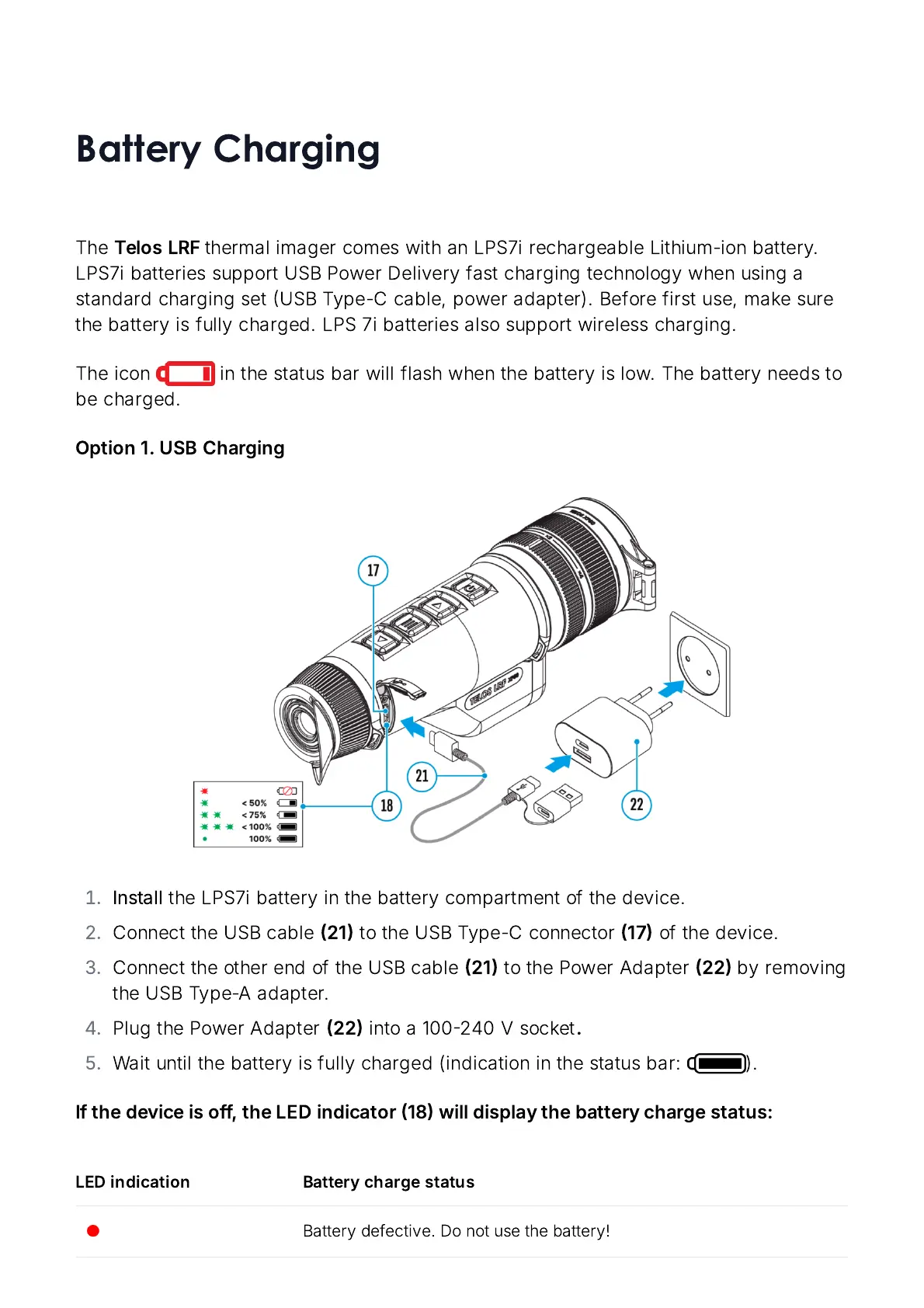
Option
1.
USB
Charging
Install
the
LPS
7
i
battery
in
the
battery
compartment
of
the
device
.
Connect
the
USB
cable
21
to
the
USB
Type
-
C
connector
17
of
the
device
.
Connect
the
other
end
of
the
USB
cable
21
to
the
Power
Adapter
22
by
removing
the
USB
Type
-
A
adapter
.
Plug
the
Power
Adapter
22
into
a
100240
V
socket
.
Wait
until
the
battery
is
fully
charged
(
indication
in
the
status
bar
: ).
If
the
device
is
off
,
the
LED
indicator
18
will
display
the
battery
charge
status
:
LED
indication Battery
charge
status
Battery
defective
.
Do
not
use
the
battery
!

Related product manuals