EasyManua.ls Logo

Pulsar TELOS - Page 37

Pulsar TELOS
78 pages
Print Icon
To Next Page IconTo Next Page
To Previous Page IconTo Previous Page
Loading...
The
User
Mode
function
saves
selected
brightness
and
contrast
settings
in
the
device
ʼ
s
memory
providing
optimal
image
quality
for
the
next
use
of
the
thermal
imager
immediately
,
with
no
additional
adjustments
needed
.
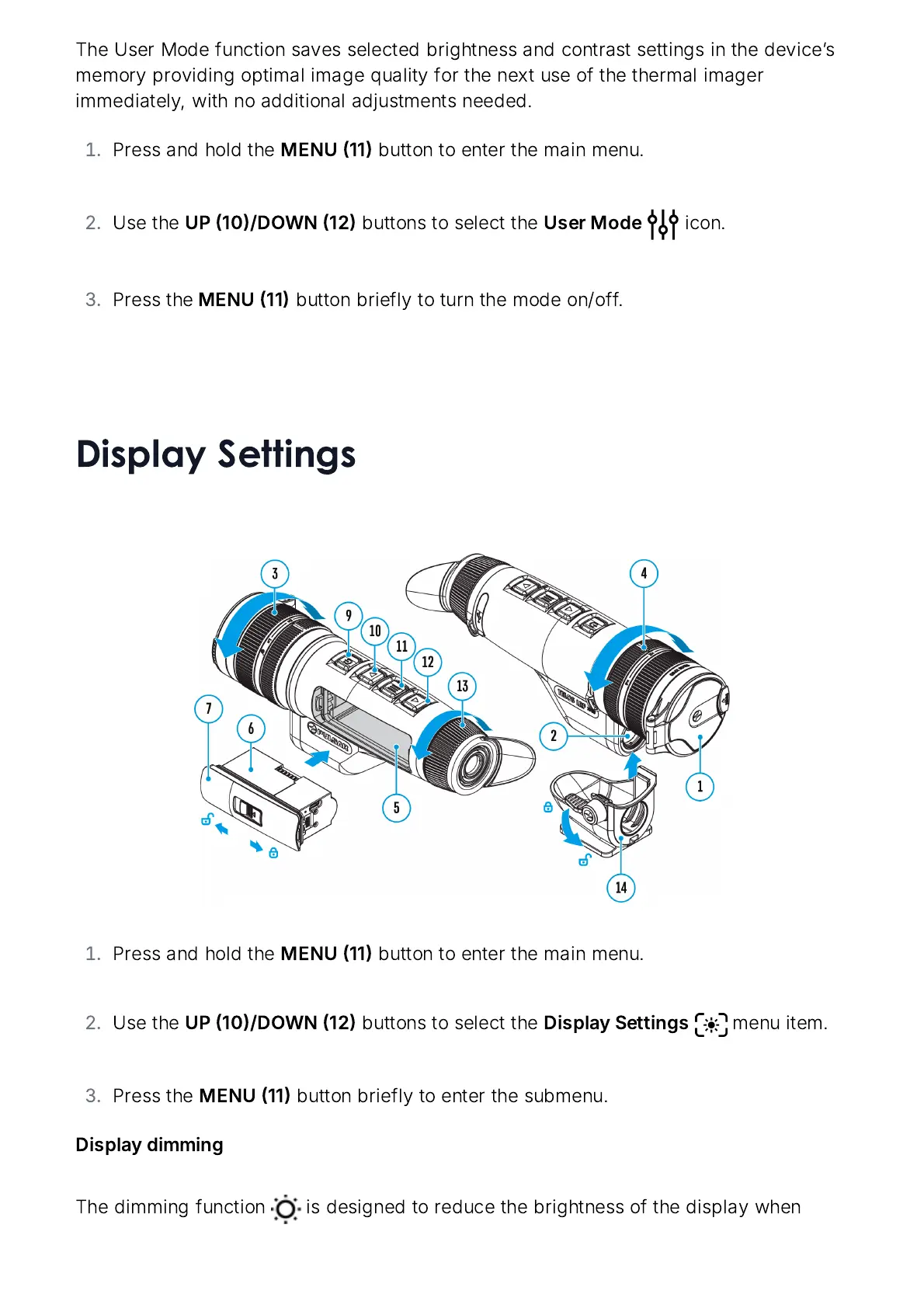
Press
and
hold
the
MENU
11
button
to
enter
the
main
menu
.
Use
the
UP
10/
DOWN
12
buttons
to
select
the
User
Mode
icon
.
Press
the
MENU
11
button
briefly
to
turn
the
mode
on
/
off
.
Display Settings
Press
and
hold
the
MENU
11
button
to
enter
the
main
menu
.
Use
the
UP
10/
DOWN
12
buttons
to
select
the
Display
Settings
menu
item
.
Press
the
MENU
11
button
briefly
to
enter
the
submenu
.
Display
dimming
The
dimming
function
is
designed
to
reduce
the
brightness
of
the
display
when

Related product manuals