STATUS INDICATOR
Below is a table of the LED blink codes and their corresponding descriptions.
LED BLINK CODE DESCRIPTION
Short blue ash, then red Powering up, rebooting the unit
Solid green Hotspot Mode
Flashing green Connecting to Network
White pulse Software update available
Solid red Upgrade mode
Alternate ashing red and green Upgrading…
Flashing blue Mute mode
Solid white Indexing
Solid blue Connected to Network – ready to use with BluOS App
Flashing red Factory reset in progress
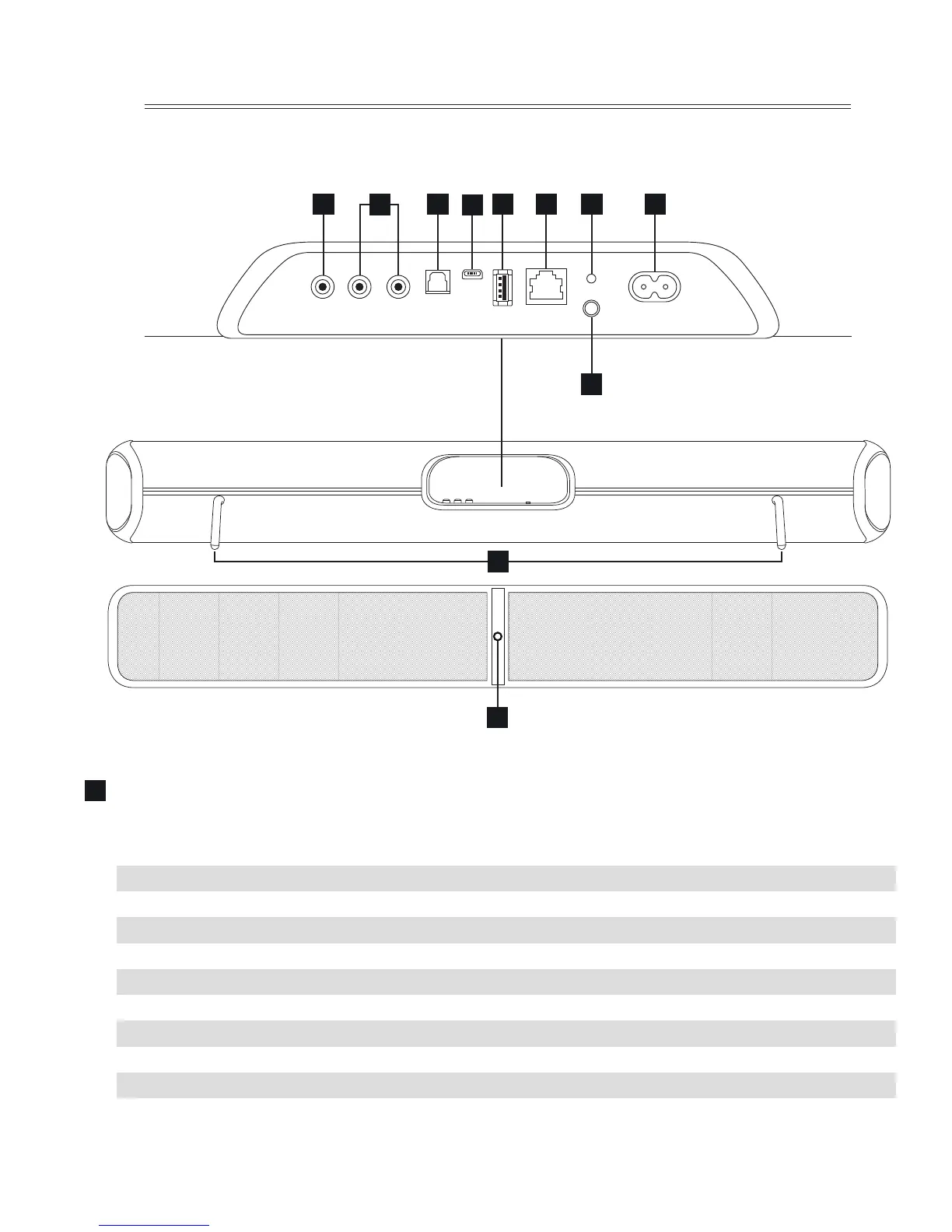
1
4
2
3 5 7 8 9
10
1
11
6
SUBW OUT R AUDIO IN L OPTICAL IN USB USB LAN STANDBY
100-240V~50/60Hz
SUBW OUT R AUDIO IN L OPTICAL IN USB USB LAN STANDBY
100-240V~50/60Hz


 To Next Page