EasyManua.ls Logo

Pulse FLEX - User Manual

Pulse FLEX
4 pages
Print Icon
To Next Page IconTo Next Page
Loading...
Owner’s Manual
Included Accessessories
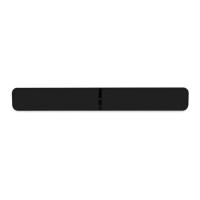
The Bluesound PULSE SOUNDBAR is an all-in-one wireless streaming audio system that brings all your
entertainment sources to life, delivering the best possible sound quality to TV shows, movies, games and more.
The PULSE SOUNDBAR is powered by BluOS, a wireless multi-room music ecosystem, capable of streaming
local music libraries, music services, internet radio stations, live sports broadcasts, audiobooks, and more with
intuitive control using the BluOS app for your smartphone, tablet, or laptop.
• Truetri-ampliedthree-waydesignwithcustom-developeddriversandallmetal
construction for accurate, natural sound
Uses your existing home WiFi for quick and easy setup with intuitive in-app instructions
Flexible mounting options include shelf mounting and wall mounting with included
accessories or use the optional TV stand for a one-piece look
Connect with other Bluesound Players to create a wireless whole house music system
To start listening to music right away, follow the steps outlined in the Bluesound Quick Setup Guide, which
is included in the package with your PULSE SOUNDBAR. Need help? Visit support.bluesound.com for helpful
articles, setup assistance, and troubleshooting tips & tricks from the BluOS Support Crew.
All-In-One Wireless
Streaming Audio System
Question and Answer IconNeed help?

Do you have a question about the Pulse FLEX and is the answer not in the manual?

Summary

PULSE SOUNDBAR Overview and Accessories

Included Accessories

Lists all items provided with the PULSE SOUNDBAR for setup and use.

Status Indicator and Hardware Ports

Status Indicator

Explains the meaning of different LED blink codes for status indication.

Kickstand Feet

Details how to attach and use the removable kickstand feet for speaker support.

Subwoofer Output

Describes the SUBW OUT connection for wired subwoofers or wireless adapters.

Audio Inputs

Explains the connection of analog and digital audio sources via RCA and Optical.

USB Ports

Details the use of USB ports for firmware loading and mass storage devices.

Network and Service Ports

Describes LAN for network connection and SERVICE for firmware updates.

Standby and Power Input

Explains the standby function and the AC MAINS INPUT for power connection.

Factory Reset Procedure

Factory Reset Warning

Warns about data loss during factory reset and when to perform it.

Steps to Factory Reset

Provides a step-by-step guide to perform a factory reset on the player.
Pulse FLEX Specifications

General IconGeneral
BrandPulse
ModelFLEX
CategorySpeakers
LanguageEnglish

Related product manuals