EasyManua.ls Logo

punch PMX5 - User Manual

Default Icon
7 pages
Print Icon
To Next Page IconTo Next Page
Loading...
Installation assistance available at:
www.rockfordfosgate.com/rftech
ROCKFORDFOSGATE.COM
600 South Rockford Drive • Tempe, Arizona 85281 United States
Direct: (480) 967-3565 • Toll Free: (800) 669-9899
Printed in China
121514
1230-59542-01-A
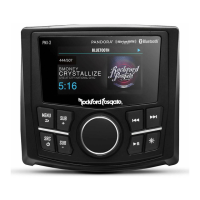
Installation & Operation
PMX5
DIGITAL MEDIA
RECEIVER
Serial Number: Date of Purchase:
0
7
00
Europe – EU Declaration of Conformity
This device complies with the essential requirements of the R&TTE Directive 1999/5/EC.
The following test methods have been applied in order to prove presumption of conformity with
the essential requirements of the R&TTE Directive 1999/5/EC:
ETSI EN 301 489-1 V1.9.2: 2011
ETSI EN 301 489-17 V2.2.1: 2012
ETSI EN 300 328 V1.8.1: 2012
EN 62479: 2010
EN 60065: 2002+A1: 2006+A11: 2008+ A2: 2010+ A12: 2011
IC Caution.
- English:
This device complies with Industry Canada licence-exempt RSS standard(s).
Operation is subject to the following two conditions: (1) This device may not
cause interference, and (2) This device must accept any interference,
including interference that may cause undesired operation of the device.
- French:
Le présentappareilestconforme aux CNR d'Industrie Canada
applicables aux appareils radio exempts de licence.
L'exploitationestautorisée aux deux conditions suivantes:
(1) l'appareil ne doit pas produire de brouillage, et
(2) l'utilisateur de l'appareildoit accepter tout
brouillageradioélectriquesubi, mêmesi le brouillageest
susceptible d'encompromettre le fonctionnement.
Design f
or Shipborne

Questions and Answers

  • I
    ibarrettSep 2, 2025
    How to fix a punch Receiver that won't tune any stations?
    • J
      joseph39Sep 2, 2025
      To resolve the issue of your punch Receiver failing to tune any stations, check all antenna connections and repair as necessary if there is no antenna, or if the connection is disconnected or open in the cable.
  • P
    Patricia FullerAug 31, 2025
    What does 'Channel Locked' mean on my punch Receiver?
    • A
      Adam MullinsAug 31, 2025
      If your punch Receiver displays 'Channel Locked', it means the channel you're trying to access is locked by the radio's Parental Control feature. Refer to page 10 for details on the Parental Control feature and instructions on how to access locked channels.
  • J
    Julie McmahonAug 29, 2025
    Why does my punch Receiver say 'Subscription Updated'?
    • P
      Paul GomezAug 29, 2025
      If the radio detects a change in your SiriusXM subscription status on your punch Receiver, press to clear the message. If you have questions about your subscription, visit www.siriusxm.com or call 866-635-­2349.
  • M
    Misty TaylorAug 27, 2025
    What does 'Check Tuner' mean on my punch Receiver?
    • D
      Dr. Dennis Smith Jr.Aug 27, 2025
      If the radio is having difficulty communicating with the SiriusXM Connect Vehicle Tuner of your punch Receiver, the tuner may be disconnected or damaged. Verify that the SiriusXM Connect Vehicle Tuner cable is securely connected to the radio.
  • J
    Jessica PerryAug 26, 2025
    Why does my punch Receiver say 'Channel Not Available'?
    • E
      ericavaldezAug 27, 2025
      If your punch Receiver displays 'Channel Not Available', it indicates that the SiriusXM channel you've requested is either not a valid channel or is no longer available. Please visit www.siriusxm.com for more information about the SiriusXM channel lineup.
  • M
    msmithAug 25, 2025
    What does 'Channel Not Subscribed' mean on my punch Receiver?
    • A
      asmithAug 25, 2025
      If your punch Receiver displays 'Channel Not Subscribed', it means the channel you're trying to access isn't part of your current SiriusXM subscription package or is no longer available. For questions about your subscription package or to subscribe to the channel, visit www.siriusxm.com or call 866-­635-2349.
  • M
    Mike NelsonAug 22, 2025
    Why does my punch Receiver say 'Check Antenna'?
    • R
      Rachel NortonAug 22, 2025
      If the radio detects a fault with the SiriusXM antenna of your punch Receiver, it might be disconnected or damaged. First, verify the antenna cable is connected to the SiriusXM Connect Tuner. Then, inspect the cable for damage and kinks. If damaged, replace the antenna. SiriusXM products are available at your local car audio retailer or online.

Summary

Introduction and Safety

Safety and Safe Sound Practices

Guidelines for safe operation and hearing protection.

Design Features and Wiring

Wiring Diagram and Connections

Visual guide to connecting the unit's wiring harness.

Mounting Instructions

Mounting Location and Procedure

Steps for selecting a location and securing the unit.

Settings Menu and Operation

Source Operation

Bluetooth Operation

Connecting and controlling devices wirelessly via Bluetooth.

SiriusXM Operation

Troubleshooting Guide

Warranty Information

punch PMX5 Specifications

General IconGeneral
Brandpunch
ModelPMX5
CategoryReceiver
LanguageEnglish

Related product manuals