Glass parts
The device screen is made of glass. Do not drop, impact, or shock your device. If the glass breaks, do
not touch or attempt to remove the broken glass from the device. Stop using the device until the glass is
replaced by qualified service personnel.
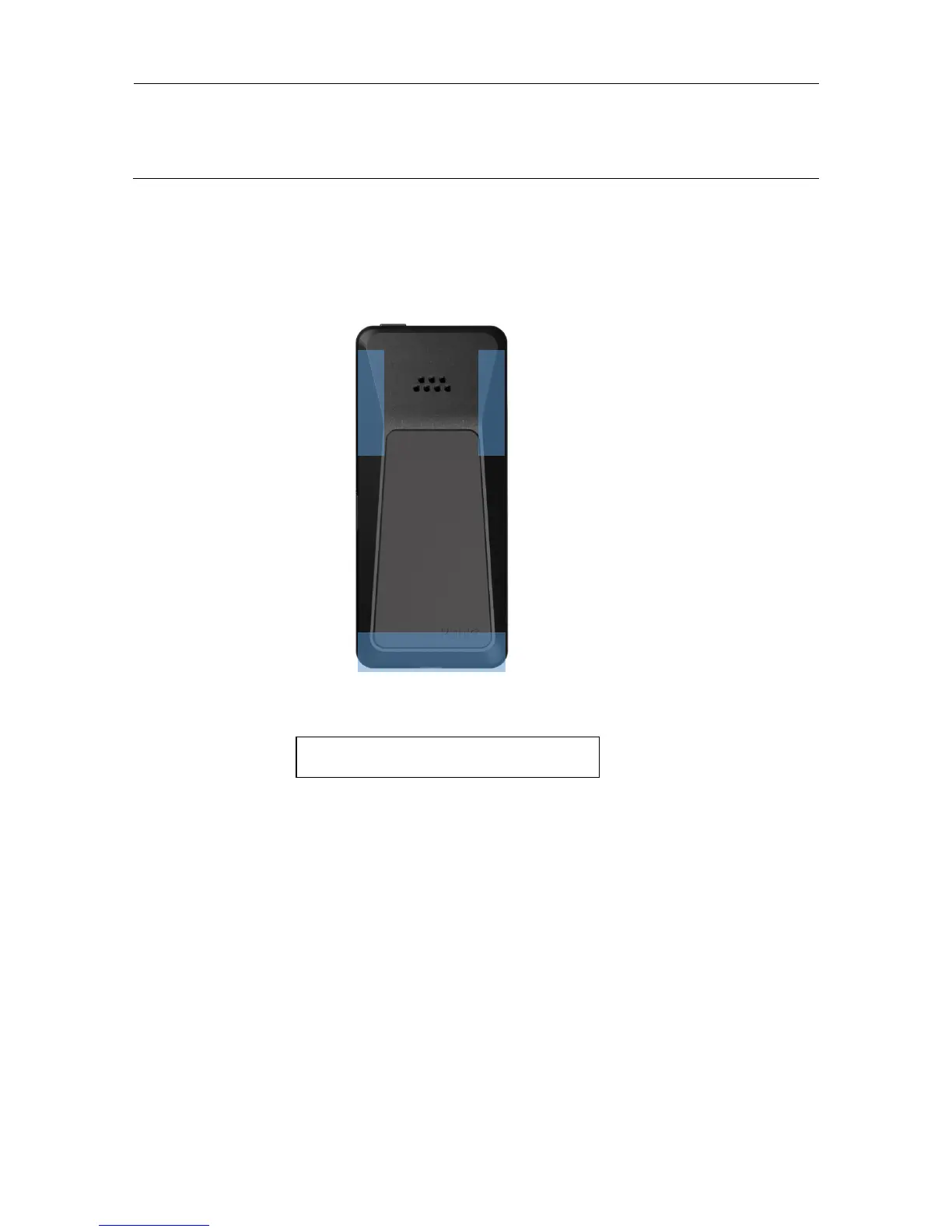
Antenna locations
When you use your phone, hold it so your hand does not cover the antenna area. If you cover the antenna
area, it may affect your network signal
Network Service and costs
Using some feature or services like tethering, synchronising or backing up your contacts, require a data
connection. This may cause the transfer of large amounts of data, which may result in data costs.
Emergency calls
Emergency call numbers vary by location.
! Important: A network connection in all conditions cannot be guaranteed. DO NOT rely only on your
MP 02 for emergency communications.
To making the call switch the phone on, unlock the phone if locked. Ensure you have adequate signal
strength. Press the end key repeatedly, until the home screen is shown.
Dial the official emergency number for your location. Press the call key. Give the necessary info as
accurately as possible. Do not end the call until given permission to do so.



 To Next Page