3
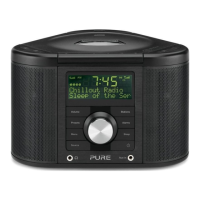
1. Volume control.
2. Adjust and set alarms while your unit is switched on or in standby.
3. Access setup options.
4. DAB +/- scroll radio stations or menu options and Select to confirm.
FM +/- press and release to manually step up or down frequency range. Hold and release to
scan to next station.
CD (on remote only) +/- press to skip tracks
In menus +/- scroll/change options and Select to confirm.
textSCAN - Press and hold Select to pause scrolling text and +/- to move left and right.
5. Switches between on and standby.
6. Analogue stereo input from auxiliary device such as iPod, MiniDisc etc.
7. Light sensor for display auto-dimming function. (Do not cover)
8. Sleep timer.
9. Receives signal from remote control.
10. 3.5 mm headphone socket (mutes speakers)
11. Switches between DAB, FM, CD (& MP3) or AUX.
12. Set and select preset stations.
13. Changes the information shown on the display.
14. Press for Previous/Next track on CD/MP3
Hold for Rewind/Fast forward on CD or Previous folder/next folder MP3.
15. Alarm snooze.
16. Open/Close CD door.
17. Stop CD or MP3 playback
18. Play/Pause CD or MP3 playback
19. Connects to the 9V DC mains adapter (supplied)
20. Alarm 1,2,3,4 set.
21. Snooze active
22. Sleep timer set.
23. Volume level. (max=10 bars)
24. AM/PM indicator
25. Clock, updated regularly by DAB signal if available.
26. DAB, FM, CD (& MP3), AUX, indicator.
27. Signal strength indicator (max=6 bars)
28. Stereo indicator.
29. CD (& MP3) play order.
30. 16 x 2 character text area.


 To Next Page