Setting up
Your Evoke is easy to use. To play DAB Radio. FM Radio. Internet Radio. Spotify. Podcasts. Bluetooth® Audio. CD &
AUX. (Evoke Home only).
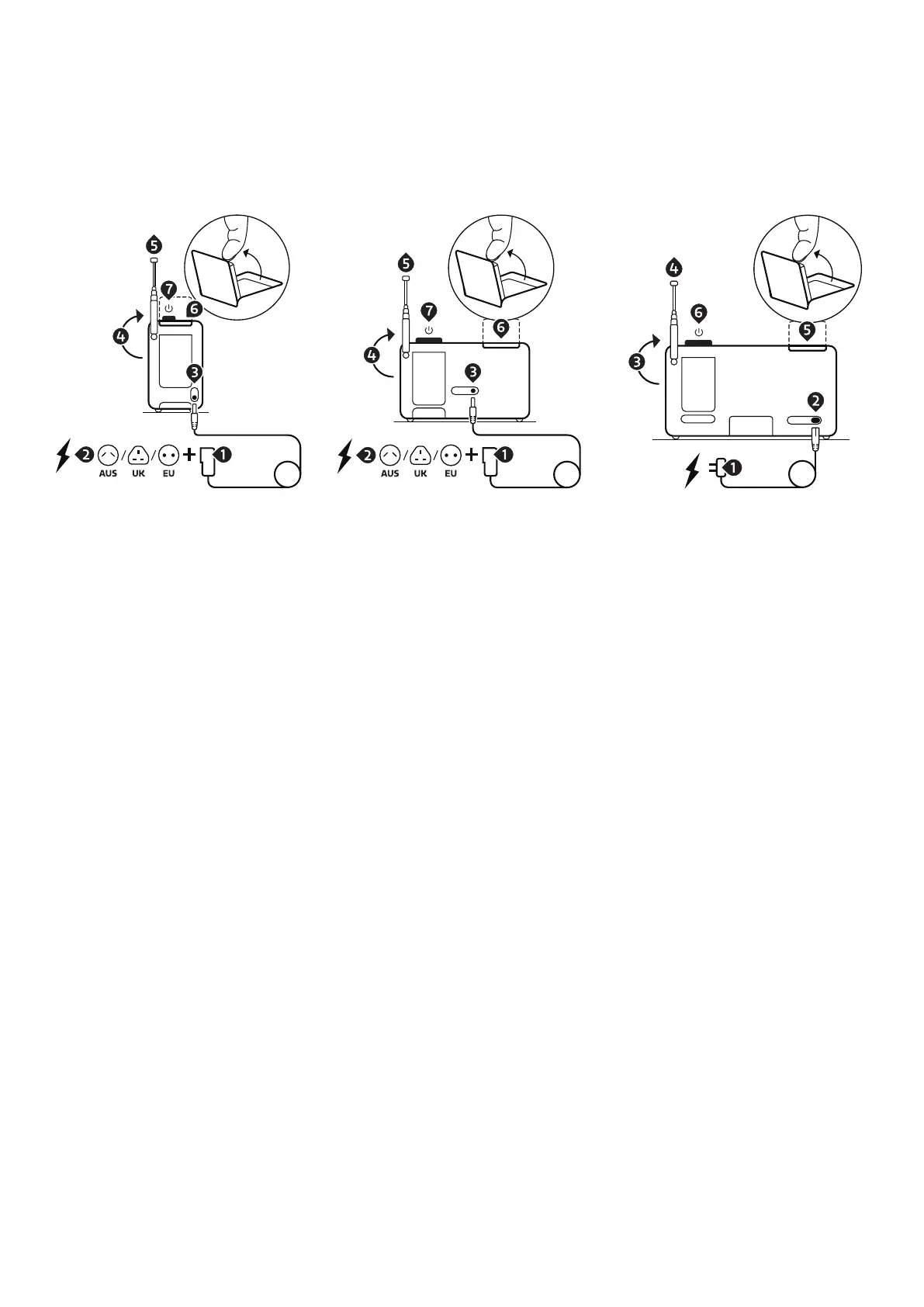
All you need is a power source or an optional battery pack (Evoke Play only and sold separately).
Evoke Spot Evoke Play Evoke Home
1. Connect the correct pin with the power supply (Evoke Spot & Play only).
2. Plug in the power supply into a power outlet.
3. Connect the cable to your Evoke.
4. Move the telescopic antenna upwards.
5. Extend the telescopic antenna.
6. Open up the foldaway display.
7. Press the volume dial to turn on your Evoke.



 To Next Page