EasyManua.ls Logo

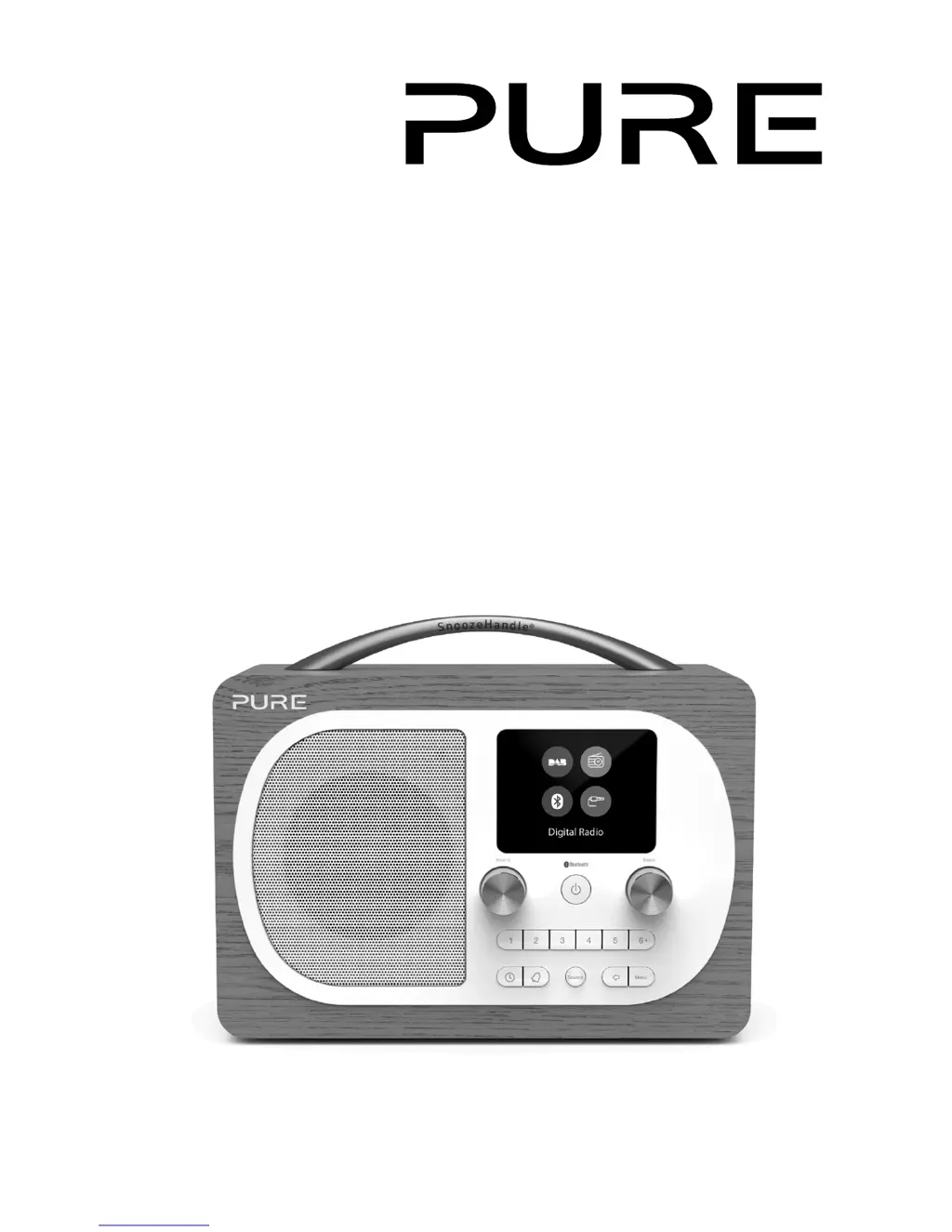
PURE Evoke H4 - User Manual

PURE Evoke H4
126 pages
Print Icon
To Next Page IconTo Next Page
Loading...
Evoke H4

Table of Contents

Questions and Answers

Summary

Safety Information

Safety instructions and cautions

Provides essential safety guidelines and warnings for product use.

Device Setup

Initial Evoke H4 setup

Step-by-step guide for the initial setup of the Evoke H4.

Powering On and Off

Switching Evoke H4 on and off

Instructions for powering the Evoke H4 on, off, and entering standby.

Digital Radio Operation

Listening to digital radio

Guide on how to tune into and listen to digital radio stations.

FM Radio Operation

Listening to FM radio

Guide on how to tune into and listen to FM radio stations.

Radio Station Presets

Preset station overview

Information about storing and accessing favorite radio stations.

Connecting External Devices

Connecting a Bluetooth device

Guide to pairing and streaming audio from Bluetooth devices.

Alarms

Setting Evoke H4 alarms

Detailed steps for configuring alarm functions, times, and sources.

Device Settings

Personalizing audio settings

Adjusting equalizer and boost settings for optimal audio quality.

System Configuration

Resetting to factory settings

Restoring the device to its default configuration.

Troubleshooting Guide

Summary

Safety Information

Safety instructions and cautions

Provides essential safety guidelines and warnings for product use.

Device Setup

Initial Evoke H4 setup

Step-by-step guide for the initial setup of the Evoke H4.

Powering On and Off

Switching Evoke H4 on and off

Instructions for powering the Evoke H4 on, off, and entering standby.

Digital Radio Operation

Listening to digital radio

Guide on how to tune into and listen to digital radio stations.

FM Radio Operation

Listening to FM radio

Guide on how to tune into and listen to FM radio stations.

Radio Station Presets

Preset station overview

Information about storing and accessing favorite radio stations.

Connecting External Devices

Connecting a Bluetooth device

Guide to pairing and streaming audio from Bluetooth devices.

Alarms

Setting Evoke H4 alarms

Detailed steps for configuring alarm functions, times, and sources.

Device Settings

Personalizing audio settings

Adjusting equalizer and boost settings for optimal audio quality.

System Configuration

Resetting to factory settings

Restoring the device to its default configuration.

Troubleshooting Guide

PURE Evoke H4 Specifications

General IconGeneral
ColorationMonochromatic
ThermometerNo
Antenna typeExternal
MP3 playback-
Product colorWalnut
Volume controlDigital
Radio typePersonal
FM band range87.5 - 108 MHz
DAB III band range174 - 240 MHz
Auto digital tuningYes
Supported radio bandsDAB+, DMB, FM
Preset stations quantity40
RMS rated power10 W
Display typeTFT
Display diagonal2.8 \
Headphone outputs1
USB connector typeMicro-USB
Headphone connectivity3.5 mm
Power sourceAC/Battery
CertificationCE, EMC, ETSI, C-Tick
Weight and Dimensions IconWeight and Dimensions
Depth115 mm
Width221 mm
Height180 mm

Related product manuals