A
A
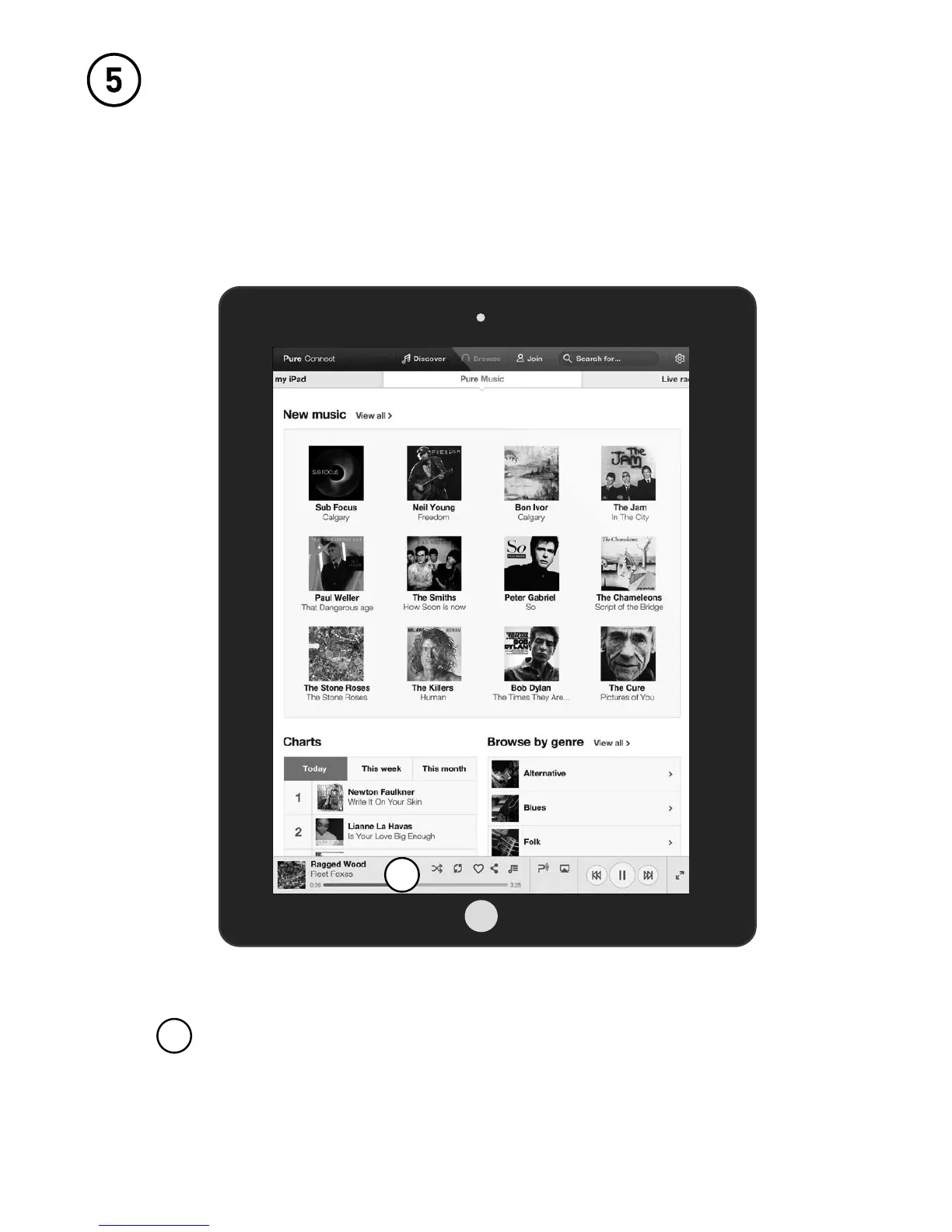
After selecting the content that you want to listen
to, the player bar will appear at the bottom of the
window.
Open the Pure Connect App and select
the music you want to listen to.
You can choose from Pure Music*, live radio, on-
demand content, ambient sounds and the music
stored on your device.
*Pure Music is only available in certain countries. Please see http://www.pure.com/availability/
for details.


 To Next Page