MAX2 4K60 Cross Platform Matrix Router
52
2) LAN
MAX2 series Matrix Router can be controlled through the 10/100 base Ethernet
port using either GUI (graphic user interfaces) or a command line interface. The
graphic user interfaces use a standard web browser such as Microsoft Internet
Explorer.
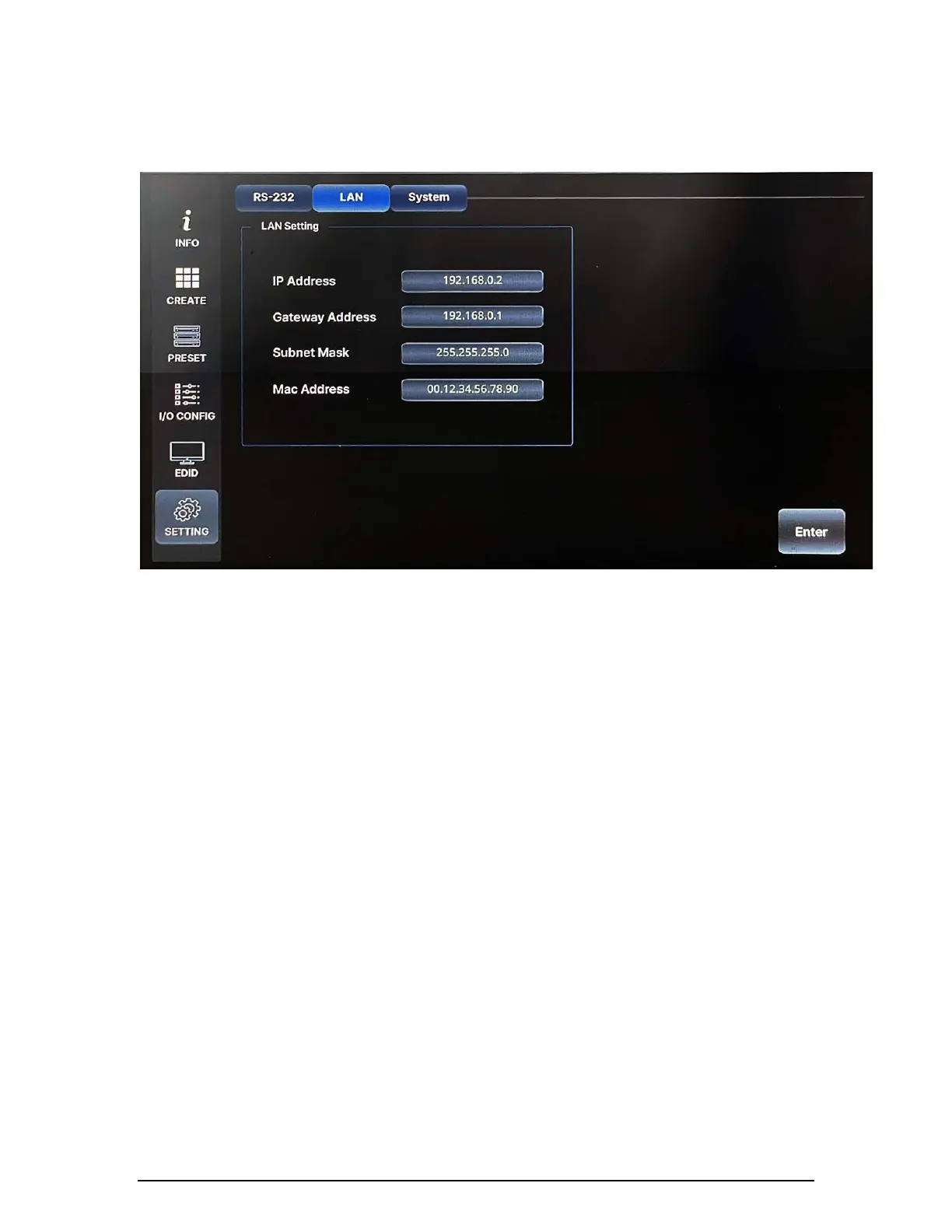
There are four values that need to be set for LAN communication: IP address,
Gateway address, Subnet mask, and Mac address. Click and select each value
using the touch screen and push enter button to save.
Note) Please contact your Network Administrator for network
information to avoid any IP conflict.
Factory default settings for LAN communication are:
IP Address: 192.168.000.002
Gateway Address: 192.168.000.001
Subnet Mask: 255.255.255.000
Mac Address: Matrix Router has its own MAC address, and that MAC
address allows users to communicate with PC network
solutions without any communication conflict.
Use a number keypad to set network information.
Use "." to move to the next section.


 To Next Page
 Loading...