DE
EN
DE
EN
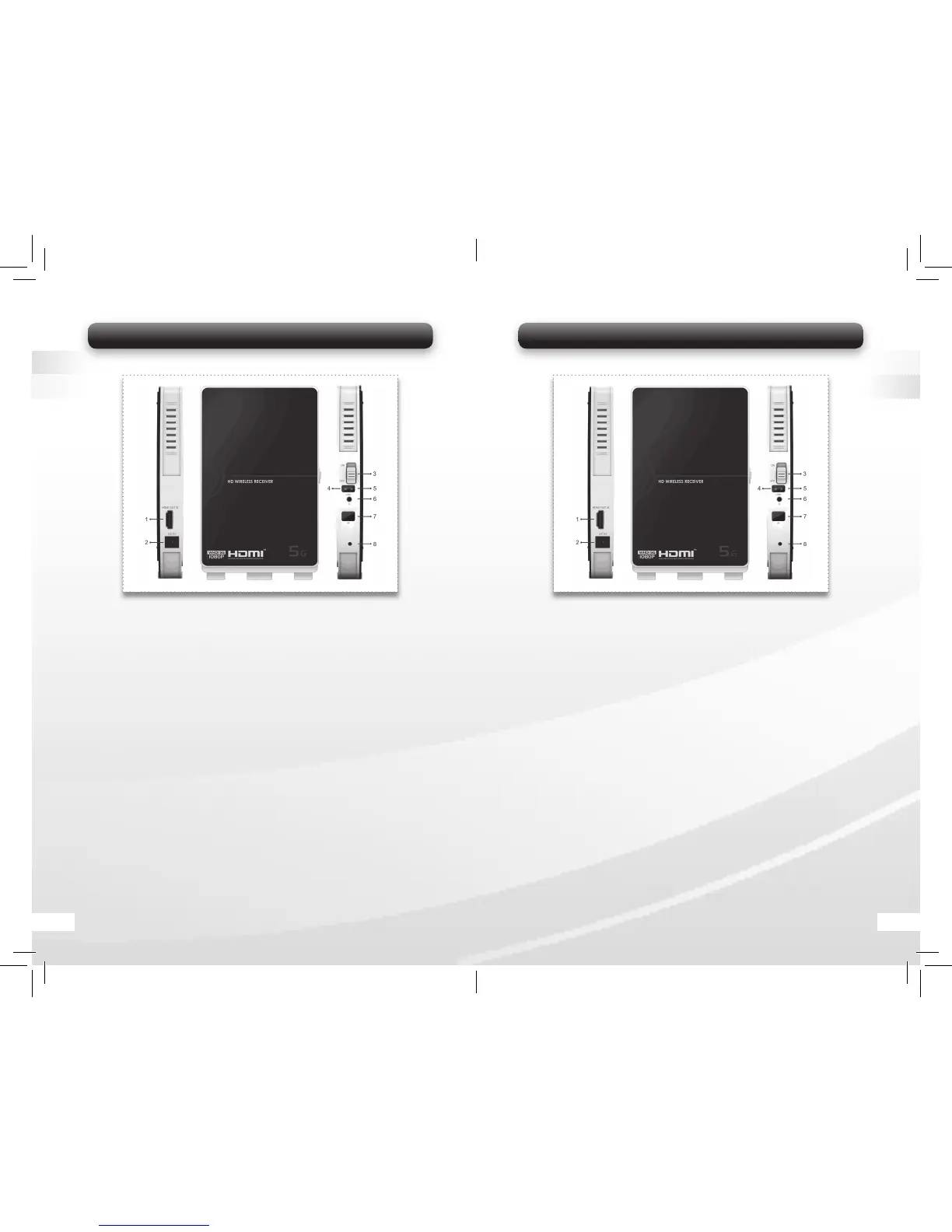
5.2 Wireless HD AV Empfängereinheit
1. HDMI Ausgang:
Anschluss für das TV Gerät (LCD, Plasma oder LED TV).
Notiz: Das TV Gerät muss einen HMDI Eingang haben.
2. DC Eingang:
Anschluss für den Stromadapter ( 5V/2.5A Stromadapter).
3. On/Off:
Ein- und Ausschalter der Empfängereinheit.
4. Wireless Statusanzeige:
Zeigt an, ob die Wireless Verbindung aktiv ist.
5. Video-Signal Statusanzeige:
Zeigt an, ob ein Video Signal aktiv ist.
6. Strom Anzeige:
Zeigt an, ob das Gerät eingeschaltet ist.
7. IR-Sensor:
IR-Sensor zum Empfangen des IR Signals der Fernbedienung für die
HDMI Quelle.
8. Upgrade Port
Bild 2
5.2 Wireless HD AV Receiver Unit
1. HDMI OUT:
Connect with a Display Device (e.g. LCD, Plasma or LED TV) via
HDMI cable. Note: The display device should have an HDMI IN port.
2. DC IN:
Connect with the power supply (enclosed 5V/2.5A Power Adapter).
3. ON/OFF Switch:
Power on/off the Wireless Receiver unit.
4. Video Signal Indicator:
Indicate that the video signal connection is linked up.
5. Wireless Link Indicator:
Indicate that the wireless connection is linked up.
6. Power Indicator:
Indicate when the Wireless Receiver Unit is powered on.
7. IR Sensor:
IR sensor for receiving IR signal from the Remote Control of your
HD media device.
8. Upgrade Port
Bild 2
06 15


 To Next Page
 Loading...