HOW TO (RE)INSTALL YOUR WATER TANK COVER
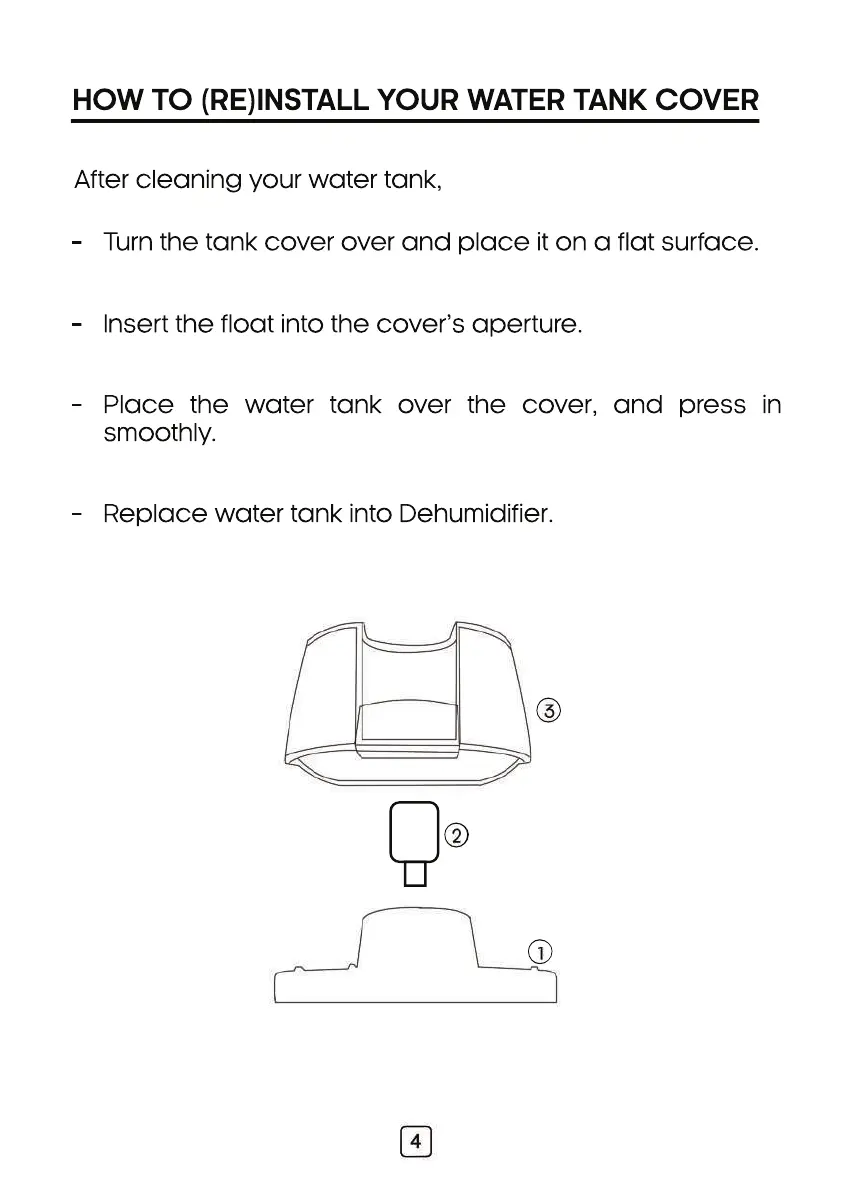
Turn the tank cover over and place it on a flat surface.
-
Insert the float into the cover’s aperture.
-
Place the water tank over the cover, and press in
smoothly.
-
Replace water tank into Dehumidifier.
-
After cleaning your water tank,



 To Next Page