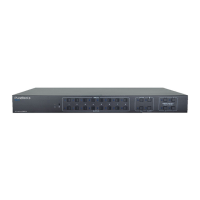
-MA-HD44M
Preface ........................................................................................................................................... 3
Trademarks .................................................................................................................................... 3
SAFETY PRECAUTIONS ................................................................................................................ 3
Introduction to PT-MA-HD44M ................................................................................................. 4
Features ......................................................................................................................................... 4
Package Contents ........................................................................................................................ 4
Specifications ............................................................................................................................... 4
Panel Descriptions ...................................................................................................................... 5
Connecting and Operating ........................................................................................................ 6
Application Diagram ................................................................................................................... 7
Remote Control Description ..................................................................................................... 7
Panel Control Description ......................................................................................................... 8
1.1 Video switch operation ....................................................................................................... 8
1.2 Video control ......................................................................................................................... 9
1.3 Audio control interface ..................................................................................................... 11
1.4 EDID setting interface: ...................................................................................................... 12
1.5 Preset application .............................................................................................................. 14
1.6 Setup interface .................................................................................................................... 15
1.7 Query information interface ............................................................................................ 18
RS232 Control ............................................................................................................................ 20
Command List ............................................................................................................................. 20
Web Control ................................................................................................................................ 21
Firmware Upgrade
..................................................................................................................... 25
After-Sales Service .................................................................................................................... 27
Asking for Assistance ................................................................................................................ 28


 To Next Page