8
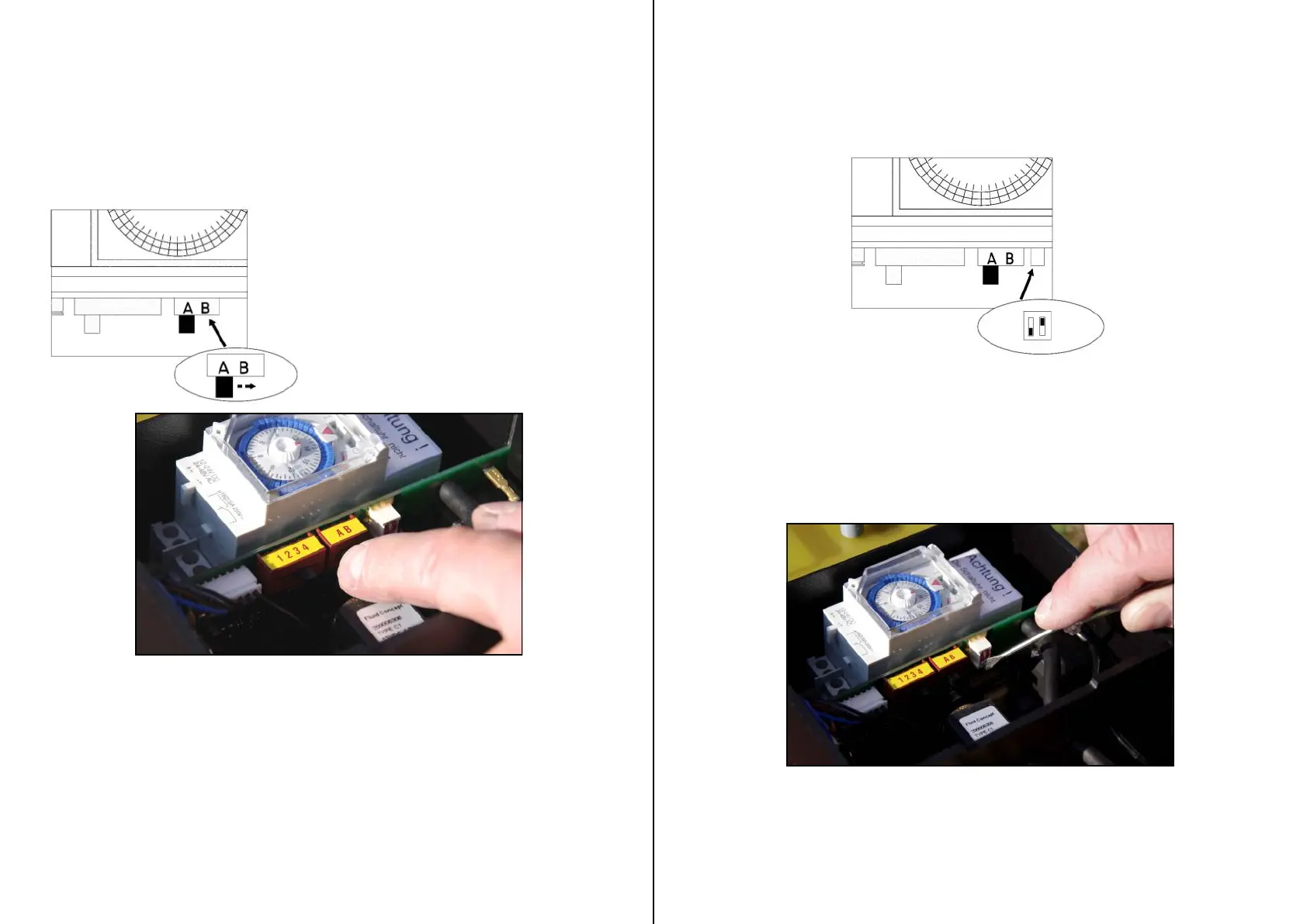
Setting the volume
With a switch on the board the volume of the unit can
be set in two different volumes
For the full volume the switch has to be on position B, for
a reduced volume the switch has to be on A
Switch position A = Reduced sound level
100m distance approx 90db(A)
Switch position B = Full sound level
100m distance approx 96db(A)
9
1 shot = both switches up
2 shot = left up / right down
3 shot = left down / right up
4 shot = both switches down
Setting the number of shots
Changing the number of shots only when the unit is turned off!
Wait 15 seconds before turning the unit on again so it can re-set properly.
The recommended number of shots is 3.
Tests have shown that the best results will be made with the 3 shots.


 To Next Page