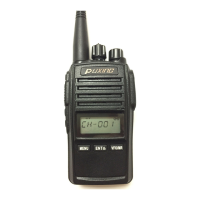
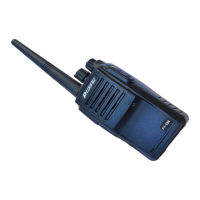
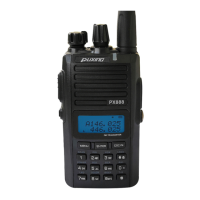
Under frequency/channel mode, press [FUN]+[9SET] key to enter the menu mode,
turn the channel switch to select the thirteenth item, the screen will show “VOICE?”,
Press [ENT] key and turn the channel switch to select “OFF/CHS/ENG”, if you select
“OFF”, it means turn off the VOICE GUIDE function. After selection press [ENT]
key to confirm and press[VFO/MR] to exit.
FREQUENCY DIFFERENCE
Choose the difference between transmitting frequency and receiving frequency.
Under frequency mode, press[F] button, then press [9SEL] button. Turn the channel
switch to fourteenth item, then “DIFFER?” will show on the screen. Press [ENT] key
to enter setting. Turn the channel switch or use the number keys to input directly the
frequency difference you need, for VHF the range is between 00.000-42.000(MHZ).
For UHF the range is 00.000-80.000(MHz).Press [ENT] button to confirm and press
[VFO/MR] key to exit.
TRANSMIT/RECEIVE CTCSS/DCS
Under frequency mode, press [FUN] +[4CODE] key, the screen will show
“C-CDC?”, press [ENT] key then turn the channel switch to select
CTCSS(OFF-254.1). Press SIDE KEY 3 to switch between CTCSS and
DCS. DCS range is OFF-D754. Press SIDE KEY 4, you will select the
normal (N) or inverted (I) DCS codes.
You also can input the non-standard CTCSS and DCS by number keypad or
programming software.
RECEIVE CTCSS/DCS
Under frequency mode, press [FUN]+[9SET] key to enter the menu mode,
turn the channel switch to the sixteenth item, the screen will show
“R-CDC?”, press [ENT] key then turn the channel switch to select
CTCSS(OFF-254.1), press the SIDE KEY 3 you can switch between
CTCSS and DCS. DCS range is OFF-D754. Press SIDE KEY 4, you will
select the normal (N) or inverted (I) DCS codes. After selection, press [ENT]
key to confirm and press [VFO/MR] key to exit.
TRANSMIT CDC
Under frequency mode, press [FUN]+[9SET] key to enter the menu mode,
turn the channel switch to the seventeenth item, the screen will show
“T-CDC?”, press[ ENT] key and turn the channel switch to select the
CTCSS(OFF-254.1). press the SIDE KEY 3 you can switch between
CTCSS and DCS. DCS range is OFF-D754. Press SIDE KEY 4, you will


 To Next Page