Need help?
Do you have a question about the PVI VECOAX MINIMOD 2 PLUS and is the answer not in the manual?
Key points to consider before proceeding with unit installation.
Covers ATSC, ISDB-T(b), DVB-C modulation types and parameters.
Details video quality optimization and audio codec selection.
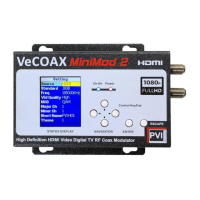
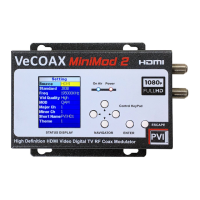
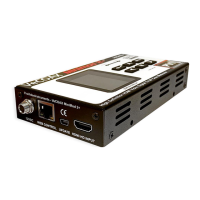
Description of the unit's panel, LEDs, and interface ports.
Lists the television standards compatible with the Modulator.
Step-by-step guide for configuring channel parameters like standard, frequency, and bandwidth.
Procedures for setting virtual channel numbers and program names.
Configuration options for modulation technique, symbol rate, and code rate.
Settings for network IDs, transport stream IDs, and service provider details.
Configuration for UI language, TV standard, IP settings, and factory reset.
Access to software/hardware versions and user guides.
Guide for inserting community channels with service provider integration.
Steps to connect the modulator to a PC and access its web interface.
Guide for setting static IP addresses for network connection.
Overview of the main information display screen.
Configures TV standard, channel selection, frequency, RF level, and bandwidth.
Manages virtual channel numbers, LCN, and program names.
Configures video/audio inputs, captions, and video conversion.
Defines modulation technique, symbol rate, code rate, carrier type, and interleaving.
Configures network IDs, transport stream IDs, and PIDs.
Sets service provider and network names for broadcast streams.
Adjusts phase rotation for J83B compatibility.
Configures UI language, TV standard, IP addressing, and gateway.
Manages keyboard beep and factory reset options.
Details the five-year limited hardware warranty statement.
Provides essential safety precautions for product usage and installation.
Explains compliance with FCC Class B digital device regulations.
Addresses HDMI sync, no display, ON-AIR status, and video quality problems.
Troubleshoots channel detection, audio playback, and TV standard compatibility.
Resolves channel stability, modulator replacement, aspect ratio, and channel finding issues.
 General
| Category | Modulator |
|---|---|
| Video Input | HDMI |
| Power Supply | 12V DC |
| Input Connector | HDMI |
| Output Connector | F-Type |
| Output | RF coaxial |
| Modulation Type | ATSC, DVB-T, QAM |
| HD Support | Up to 1080p |

 To Next Page