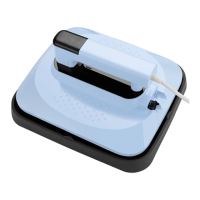
The PYD Life Mini Craft Express Heat Press (model CEHP0203-LBN) is a compact and portable heat press designed for crafting and small-scale heat transfer projects. It allows users to print their designs onto various materials, offering versatility for personal and professional use.
Function Description:
The primary function of the Mini Craft Express Heat Press is to apply heat and pressure to transfer designs from heat transfer vinyl (HTV) or sublimation paper onto compatible substrates. It features a heating platen that reaches specific temperatures and a timer to control the duration of the heat application. The device is designed for ease of use, with an easy-grip handle and intuitive control buttons.
Important Technical Specifications:
- Models:
- CEHP0203-LBN-220: Rated Voltage 220V, Rated Frequency 50Hz, Rated Power 300W
- CEHP0203-LBN-110: Rated Voltage 120V, Rated Frequency 60Hz, Rated Power 150W
- Max. Printable Area: 3.5 x 2.3 inches (9 x 5.8 cm)
- Material: Plastic / Alloy
- Temperature Range (Simple Mode):
- Level 1: 140°C (284°F)
- Level 2: 165°C (329°F)
- Level 3: 185°C (365°F)
- Level 4: 210°C (410°F)
- Temperature Range (Advanced Mode): 60-210°C (140-410°F), adjustable to any value.
- Time Range (Simple Mode): 10-120 seconds, adjustable in 5-second increments.
- Time Range (Advanced Mode): 10-999 seconds, adjustable to any value.
Usage Features:
-
Product Structure:
- Easy-grip Handle: For comfortable and secure handling during operation.
- Control Buttons: Used for power on/off, starting/stopping countdown, and adjusting time and temperature settings.
- Display Screen: Shows current time and temperature settings.
- Accurate Tip: Designed to press and heat evenly across the design.
- Safety Base: Provides a secure resting place for the hot machine after use, preventing contact with the heated platen.
-
Power On/Off:
- Long press the power button for 3 seconds to turn the device on or off.
-
Countdown Function:
- Press the time button once to start the countdown.
- Press the time button again to stop the countdown.
-
Time Setting (Simple Mode):
- Enter time setting by pressing the time button.
- Use the time button as "+" and the temperature button as "-" to adjust the time in 5-second increments (range 10-120 seconds).
- The value blinks four times and is set automatically.
-
Time Setting (Advanced Mode):
- To enter advanced time setting, long press the time button for 5 seconds when the machine is off; the screen will display "OFF".
- Turn on the machine, press the time button to enter time setting, and adjust the time (range 10-999 seconds).
- To switch back to simple mode, turn off the machine, long press the time button for 5 seconds until the screen displays "ON".
-
Temperature Setting (Simple Mode):
- Enter temperature setting by pressing the temperature button.
- Use the time button as "+" and the temperature button as "-" to adjust the temperature through four preset levels (140°C/284°F, 165°C/329°F, 185°C/365°F, 210°C/410°F).
- The value blinks four times and is set automatically.
-
Temperature Setting (Advanced Mode):
- To enter advanced temperature setting, long press the temperature button for 5 seconds when the machine is off; the screen will display "OFF".
- Turn on the machine, press the temperature button to enter temperature setting, and adjust the temperature (range 60-210°C/140-410°F).
- To switch back to simple mode, turn off the machine, long press the temperature button for 5 seconds until the screen displays "ON".
-
Switching Temperature Unit (°C/°F):
- Turn off the machine.
- Long press the time and temperature buttons together for 3 seconds to toggle between Celsius and Fahrenheit.
-
Printing Parameters (Reference Only):
- Vinyl Film: Time: 65 seconds, Temp: 165°C (329°F)
- Sublimation Paper: Time: 30 seconds, Temp: 210°C (410°F)
- Users should adjust settings based on their specific products.
Maintenance Features:
-
Safety Instructions:
- Always keep the machine unplugged when moving or installing accessories.
- Use on a flat, stable table in a ventilated room.
- Wear heat-resistant gloves during use.
- Do not use in hazardous places or if not functioning properly.
- Do not disassemble or reassemble without special guidance.
- Do not plug into unsuitable AC outlets.
- Avoid touching the heating platen when hot.
- Supervision is required for users lacking physical or sensory capability, experience, or knowledge, especially children.
-
Placement & Storage:
- After printing, always place the hot machine back on its safety base and avoid touching the bottom.
- To store, turn off and unplug the machine, allow it to cool completely, then place it back in its original box in a dry and cool place.
The PYD Life Mini Craft Express Heat Press is designed for safe and efficient heat transfer, providing flexible control over time and temperature settings to accommodate various crafting needs.

 Need help?
 General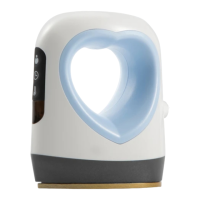

 To Next Page