3
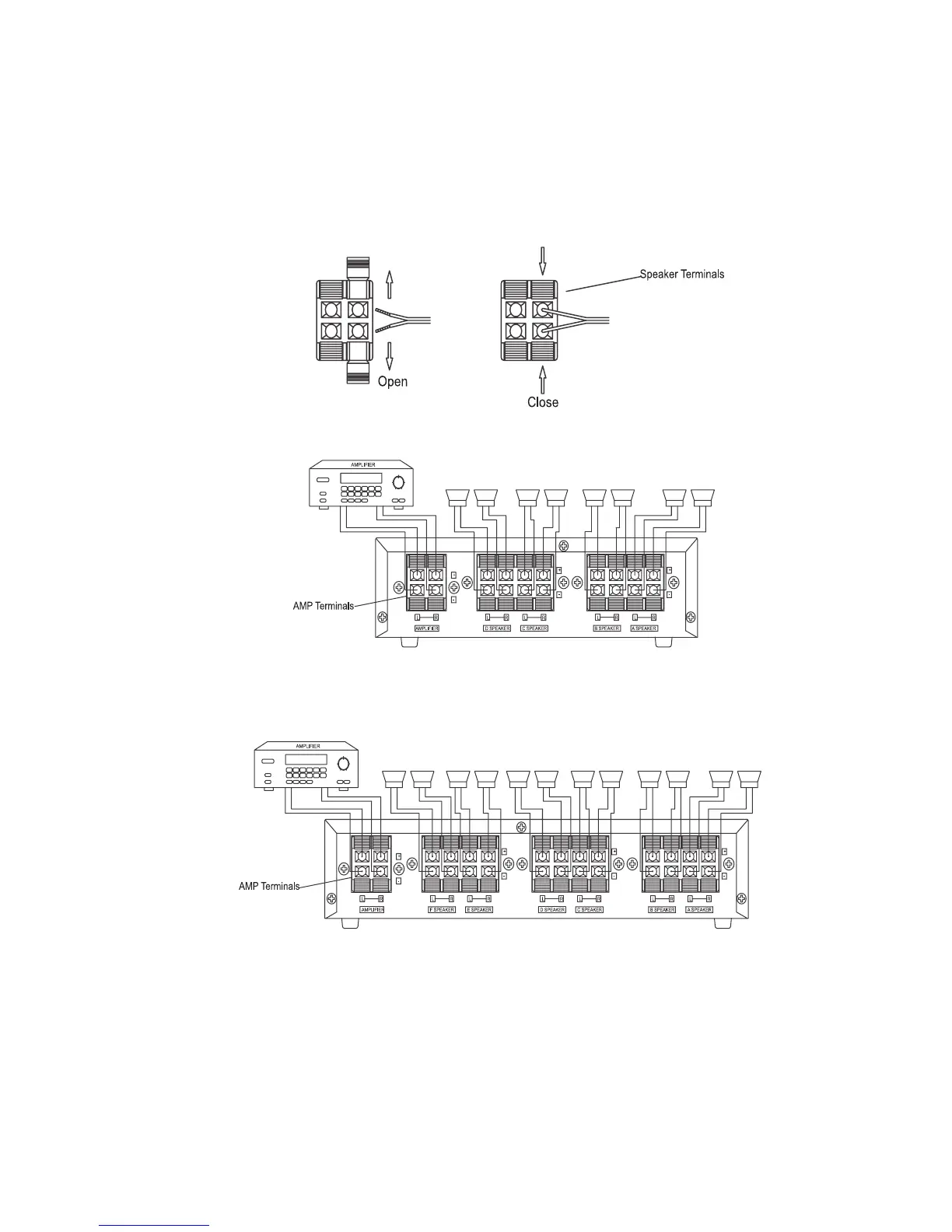
PressopenthedesiredSPKterminalsonthecontrolcenter.Insertthespeakers’positive
(+)wiresinthepositive(red)terminals,andnegative(
-
)wiresintothenagative(black)
terminals,accordingtotherespectiveL(left)andR(right)terminals.Thenpressthetabs
toclosethem.
PressopentheAMPterminalsonthecontrolcenter,theninsertyourreceiver/amplifier’s
positive(+)wiresintothepositive(red)terminals,andnegative(
-
)wiresinthenagative
terminals.Thenpressthetabstoclosethem.


 To Next Page