www.PyleUSA.com
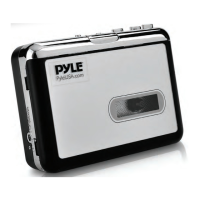
1. Lid switcher---Slide down to open the lid, so can put cassette in.
2. AUX port----Audio output to speaker, also can be audio input to
record from other audio source
3. OTG---For plug USB disk (or USB card reader with SD card), to save
recorded music.
4. Volume control.
5. Small watch window----To check if cassette is running.
6. Cassettes operate buttons-----See following details.
PLAY---press to play cassette.
STOP---press to stop play cassette.
F.F---Fast forward.
REW---Rewind.
DIR---Change the direction of cassette playing.
Auto reverse switch---Slide to is auto reverse mode.
7. DC port----5V DC.
8. Convert operate buttons-----See following details.
LED indicator:
Keep on ---- Standby.
Quick ash (2 times per second) --- Recording.
Slow ash (1 time per second) ---Playback.
Green ---- Manual mode.
Blue ---- Automatic mode.
OPERATIONS CASSETTE:
Power supply:
1. You can simply use the USB cable in the package to power supply this
device.
2. You can also use 2 AA batteries----Open the lid of the deck, and put
batteries in the groove.
Operate:
3. Put a cassette in.
4. Connect a speaker or earphone to “AUX” of the device.
5. Connect an USB disk to “OTG”, you will see green indicator lights.


 To Next Page
 Loading...