
 Need help?
Do you have a question about the Pyle PCASRSD17 and is the answer not in the manual?
Details the lid switcher, AUX port, OTG port, volume, cassette controls, DC port, and conversion buttons.
Explains the meaning of the LED indicator lights for standby, recording, and playback modes.
Covers power supply options (USB, batteries) and basic cassette playback and recording setup.
Guides on how to record music from cassette to MP3 in manual mode, including stopping and saving.
Explains automatic recording, song detection, file naming, and potential issues with song spacing.
Details how to record music from external audio sources using the AUX port.
Addresses common problems in auto mode, like incorrect song segmentation, and suggests editing software.
Describes how to play back recorded MP3 files on the device and navigate between tracks.
Lists technical details such as converter format, power supply, USB format, working time, bit rate, dimensions, and weight.
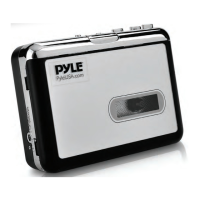
Details the items included in the PCASRSD17 cassette to MP3 converter package.
 General
| Brand | Pyle |
|---|---|
| Model | PCASRSD17 |
| Category | Media Converter |
| Language | English |

 To Next Page