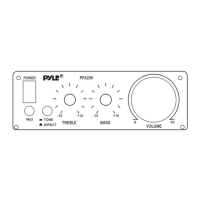
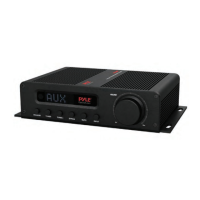
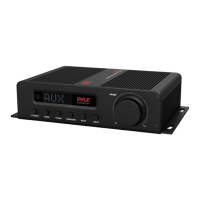
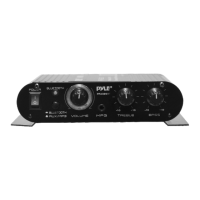
The Pyle PFA600BU is a compact desktop public address amplifier designed for wireless Bluetooth streaming and various audio input sources. It serves as a central hub for managing and amplifying audio, making it suitable for small-scale PA systems in offices, homes, or small venues. The device offers a range of features for both audio playback and microphone use, providing flexibility for different applications.
Function Description
The primary function of the PFA600BU is to amplify audio signals from multiple sources and output them to speakers. It integrates a PA speaker and microphone receiver system, allowing for public address capabilities. A key feature is its built-in Bluetooth connectivity, enabling wireless audio streaming from compatible devices such as smartphones, tablets, laptops, and computers. This allows users to play music or other audio content without the need for physical cables.
In addition to Bluetooth, the amplifier supports traditional wired audio inputs. It includes two 1/4-inch microphone input jacks (MIC1 and MIC2), making it suitable for presentations, announcements, or karaoke. An AUX (3.5mm) input is also provided for connecting external audio devices like MP3 players or iPods. For digital audio file playback, the unit features USB flash and SD memory card readers, supporting MP3, WAV, and WMA file types. The USB port can also double as a device charging port, adding convenience.
The PFA600BU incorporates an FM radio with a digital LCD display, allowing users to tune into their favorite radio stations. A button-activated siren alarm function is integrated for emergency situations, providing an audible alert when needed. The amplifier is designed with quick connect speaker terminals for easy setup and connection to external speakers.
Usage Features
The front panel of the PFA600BU features a control center with various buttons and knobs for intuitive operation. The LED display screen provides visual feedback on the selected mode, track information, and radio frequency.
- Power Control: A power switch allows users to turn the unit ON/OFF or select between AC and DC 12V power supply.
- Mode Selection: A dedicated MODE button cycles through different playback modes: USB/SD, FM, and Bluetooth. The unit automatically defaults to USB/SD mode upon power-on if a compatible device is inserted.
- Bluetooth Pairing: To connect a Bluetooth device, users press the MODE button to select Bluetooth mode, then search for "PYLEUSA" on their device and select it for pairing. A confirmation noise indicates successful pairing. Once paired, music can be streamed wirelessly, and tracks can be controlled directly from the unit.
- Media Playback Controls: Standard control buttons are provided for media playback, including:
- REPEAT: Allows selection between "All" tracks repeat or "Single" track repeat in USB/SD mode.
- PREV: Selects the previous track in USB/SD mode, the previous channel in FM/Bluetooth mode, and decreases volume when held in FM/Bluetooth mode.
- NEXT: Selects the next track or folder in USB/SD mode, the next channel in FM/Bluetooth mode, and increases volume when held in FM/Bluetooth mode.
- PLAY/PAUSE: Toggles between play and pause in USB/SD or Bluetooth mode. In FM mode, a single press initiates an auto-scan for all frequencies (87.5MHz to 108MHz) and stores the channels.
- Volume Controls: Independent rotary volume adjustments are available for the AUX input (AUX VOLUME CONTROL) and each microphone input (MICROPHONE 1 VOLUME KNOB and MICROPHONE 2 VOLUME KNOB), allowing users to balance audio levels from different sources.
- Siren Function: A dedicated SIREN button activates the alarm for emergencies.
- Remote Control: The unit comes with a remote control for convenient operation from a distance. The remote includes buttons for power ON/OFF, track/channel selection, volume adjustment, direct track selection using number buttons, repeat mode, playing mode selection (USB/SD/FM/Bluetooth), EQ function (if the MP3 has EQ), and play/pause.
- Connectivity:
- SD Card Slot: For inserting SD cards to play MP3 files.
- USB Port: For USB flash drives to play MP3 files and for device charging.
- Microphone Inputs: Two 1/4-inch TRS plug jacks for connecting unbalanced low impedance microphones.
- AUX Input: A 3.5mm jack for connecting external audio devices.
- FM Antenna Connector: For connecting an FM antenna to improve radio reception.
- Line Output: RCA jacks for connecting the audio output to other devices.
- Bluetooth Antenna: An external antenna that should be pulled out for optimal Bluetooth reception.
- Power DC Input: RCA jacks for connecting a DC 12V/5A power battery.
- Power Supply: Connects to an AC power socket (AC 115V/60Hz). Users must ensure the correct voltage is selected.
Maintenance Features
The PFA600BU is designed with certain considerations for maintenance and safety, though specific user-level maintenance is limited.
- Safety Warnings: The manual emphasizes critical safety precautions, including warnings against opening the unit's cover due to the risk of electric shock and the absence of user-serviceable parts inside. All servicing is to be referred to a qualified technician.
- Cleaning: The unit should only be cleaned with a dry cloth, avoiding liquids to prevent fire or electric shock.
- Environmental Protection: Users are advised not to expose the equipment to rain or moisture, or store/operate it near heat sources or liquids.
- Cable Management: Instructions highlight the importance of protecting all connected wires from being walked on or pinched, especially at the plugs and where they exit the unit. When unplugging, users should hold the plug, not pull the cord.
- Power Management: The unit should be unplugged during lightning storms or when unused for long periods. When wiring, all equipment should be turned OFF, and volume/level controls turned DOWN before powering on.
- Grounding: Proper grounding of the unit is crucial to maintain its built-in safety features.
- Fuse: The unit includes a built-in 5A fuse, which is a safety feature to protect against overcurrent. Replacement of the fuse should be done by a qualified technician if necessary.
- Inspection: Before installation or suspension, all hardware, suspension components, cabinets, transducers, brackets, and associated equipment should be inspected for damage. Any missing, corroded, deformed, or non-load rated components must be corrected immediately to ensure safety. Only hardware rated for the loading conditions should be used.
- Professional Consultation: For physical equipment installation, consulting a licensed, professional engineer is recommended to ensure compliance with local, state, and national regulations.
- Qualified Servicing: Any damage to the power supply cord or plug, liquid spills, objects falling into the apparatus, exposure to rain/moisture, or abnormal operation requires servicing by qualified personnel.
The PFA600BU aims to be a versatile and user-friendly amplifier for various public address and audio playback needs, with a strong emphasis on safety and proper handling.

 Need help?
 General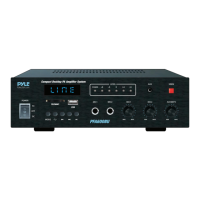

 To Next Page