11
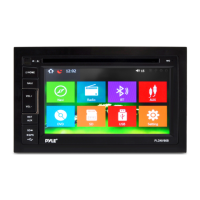
Bluetooth- Bluetooth music
When the machine and the car phone Bluetooth connection is normal, you can play music through a car
phone Bluetooth machine and control by switching songs.
Settings – System Settings
Time modifying machine displays language related to changes in the system. The user can click the icon to
enter the settings change. To ensure the normal use, non-special circumstances do not recommend users
without permission to change the setup options.
Settings – Wireless Network
WI-FI: Click WI-FI control switch button to activate the WIFI function. It will appear to the right of the search to
nearby resources available Wi-Fi point, click the selected name of the available Wi-Fi connection.
PREV function
NEXT function
Playback Pause function
Stop function



 To Next Page