EasyManua.ls Logo

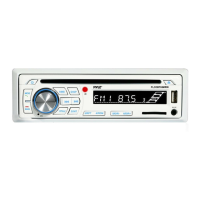
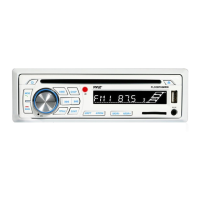
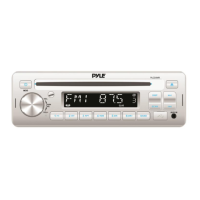
Pyle plcd8mrkt - User Manual

Pyle plcd8mrkt
14 pages
Print Icon
To Next Page IconTo Next Page
Loading...
1
PLCD8MRKT
OWNER’S MANUAL
Mobile Audio System
PLL Synthesizer Stereo Radio
CD/MP3/WMA Player
Automatic Memory Storing
Fixed Panel
Preset Equalization
Electronic Shockproof (ESP) Function
USB Interface
www.pyleaudio.com

Questions and Answers

  • D
    Daniel DownsSep 12, 2025
    What to do if the operation keys do not work on my Pyle Stereo System?
    • M
      Mrs. Latasha Hernandez PhDSep 12, 2025
      If the operation keys on your Pyle Stereo System aren't working, it could be that the built-in microcomputer isn't operating properly due to noise. Try pressing the RESET button.
  • J
    Jennifer TurnerSep 14, 2025
    What to do if the disc cannot be loaded or ejected from my Pyle Stereo System?
    • J
      Joe DoughertySep 14, 2025
      If your Pyle Stereo System is having trouble loading or ejecting a disc, consider these possibilities: * If there is already a CD inside, remove it before inserting another. * Ensure you're inserting the disc with the label facing upward. * The disc may be dirty or defective; try cleaning it or using a new one. * If the temperature inside the car is too high, wait until it cools down. * Condensation may have formed; leave the player off for about an hour, then try again.

Pyle plcd8mrkt Specifications

General IconGeneral
BrandPyle
Modelplcd8mrkt
CategoryAudio system
LanguageEnglish

Related product manuals