www.PyleUSA.com
8
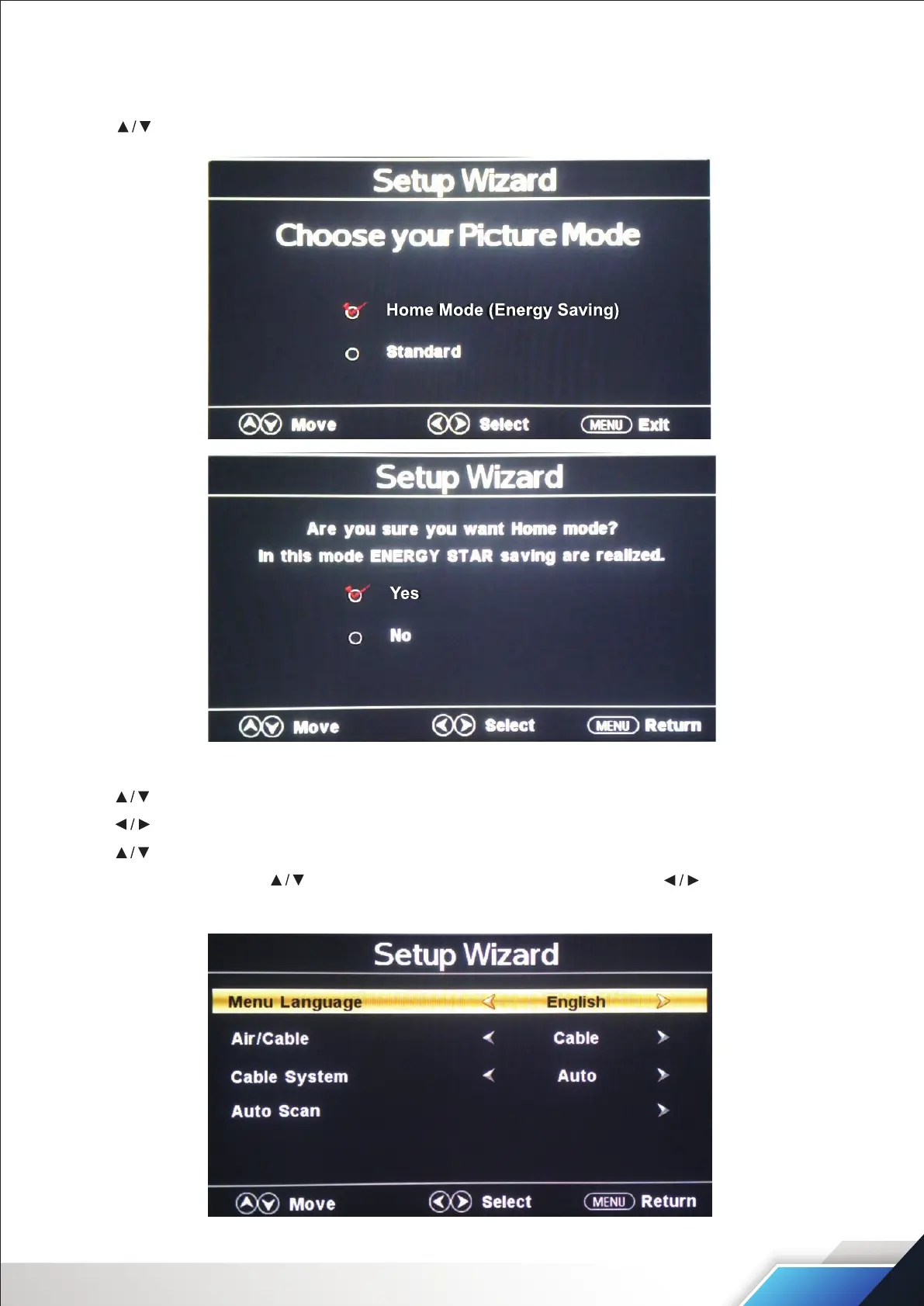
SET UP WIZARD
STEP 1: Choosing your Picture mode
Use the arrow buttons to select Home Mode standard. Press the ENTER button to complete the step.
STEP 2:
Use the arrow buttons to select Menu Language.
Use the arrow buttons to select English-Francais-Espanol.
Use the arrow buttons to select AIr/Cable.
Select Cable, then press the button to select Cable System. Then press the button to select
Auto-STD-IRC-HRC.


 To Next Page