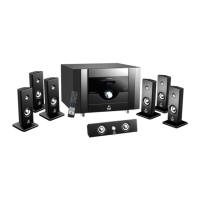
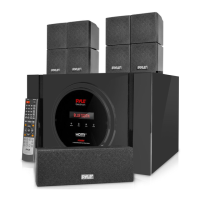
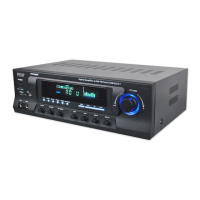
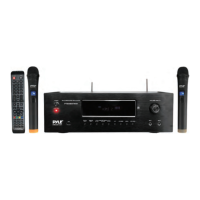
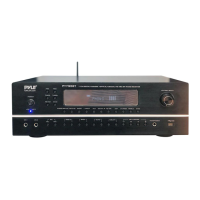
The Pyle PT796BT is a 7.1-channel surround sound stereo amplifier system designed for home theater use, offering wireless BT streaming and a variety of input options. It supports 4K Ultra HD video pass-through and includes an AM/FM radio with 30 station presets. The receiver is capable of delivering up to 2000 watts of power.
Function Description:
The PT796BT serves as the central hub for a home entertainment system, allowing users to connect multiple audio and video sources and distribute sound to a 7.1-channel speaker setup. Its primary function is to amplify audio signals and provide surround sound processing for an immersive listening experience. The integrated wireless BT streaming capability enables users to play music directly from their smartphones, tablets, laptops, or other BT-enabled devices without the need for physical connections. The receiver also features an AM/FM radio tuner for accessing broadcast radio stations.
For video, the PT796BT supports 4K Ultra HD pass-through, ensuring that high-resolution video signals from connected sources like Blu-ray players or gaming consoles are passed through to a compatible TV without degradation. The HDMI ARC (Audio Return Channel) function simplifies connectivity by allowing audio from the TV to be sent back to the receiver via a single HDMI cable, eliminating the need for separate optical audio cables.
The device includes multiple input options to accommodate various audio and video components. These include three HDMI inputs and one HDMI output with ARC support, optical and coaxial digital audio inputs, and several analog audio inputs (RCA L/R) for devices like CD players, turntables (Phono MM/MC), and auxiliary sources. A USB input is also available for playing MP3, WMA, APE, and FLAC audio files directly from a USB flash drive. For karaoke enthusiasts, the receiver is equipped with two 1/4-inch microphone inputs, complete with independent volume, echo, bass, and treble controls.
The PT796BT incorporates next-generation audio DSP sound processing technology to enhance the audio experience. Users can select from various sound field effects such as LIVE, HALL, DISCO, CHURCH, ROCK, JAZZ, and CLASS to tailor the sound to their preferences or the content being played.
Usage Features:
Operating the PT796BT can be done via the front panel controls or the included remote control. The front panel features a master volume/multi-function knob, input selectors, tuner controls, and microphone adjustments. A fluorescent display provides visual feedback on the selected input, volume levels, radio station, and other settings.
Input Selection: Users can easily switch between different audio and video sources. Digital inputs (HDMI 1-3, Optical, Coaxial) are selected using the "DIGITAL INPUT" button, while analog inputs (AUX, BT/MP3, PHONO, FM) are selected via the "ANALOG INPUT" button on the remote or front panel.
Wireless BT Streaming: To stream audio wirelessly, users press the "ANALOG INPUT" button until "BT" mode is displayed. They then activate BT on their device, search for "PYLE PRO," and connect. No password is required for pairing.
Radio Operation: The AM/FM radio allows for automatic scanning and storage of strong signals, as well as manual tuning. Users can navigate through stored stations using the "AM/FM PROGRAMS" buttons.
Volume Control: The master volume can be adjusted using the large knob on the front panel or the "total VOLUME +/-" buttons on the remote. Independent volume controls are available for center, surround, and heavy bass channels, accessible through the "main menu" on the front panel and corresponding buttons on the remote.
Tone and Balance Adjustment: The receiver allows for adjustment of main channel bass and treble levels, as well as left/right channel volume balance, through the "MENU" button on the front panel.
Microphone Controls: For karaoke, the microphone volume, treble, bass, echo, and delay can be adjusted independently using dedicated controls on the front panel or remote.
DSP Sound Field Effects: Users can select different sound field effects using the "DSP" or "CH MODE" button on the remote control to customize the audio output.
Channel Mode: The receiver supports both 2.1-channel and 7.1-channel output modes, selectable via the "CH. MODE" button on the front panel or remote.
Display Control: The "DISPLAY" button on the remote allows users to adjust different display modes on the fluorescent window.
Standby and Mute: The receiver can be put into standby mode or muted using dedicated buttons on the remote control.
Maintenance Features:
The PT796BT is designed for user-friendly operation and generally requires minimal maintenance. However, some aspects are important for ensuring its longevity and optimal performance:
Placement: The manual advises placing the unit in a well-ventilated area, away from direct sunlight and heat sources, to prevent overheating. It should be placed on a flat, solid surface to ensure stability.
Power Supply: Users should ensure the line voltage (115V/240V switchable) matches their local power supply to prevent damage. The power cable length is 3.9 feet.
Connectivity: Proper connection of speaker wires (4-16 Ohm impedance) and input cables is crucial. The manual provides a wiring diagram for guidance.
Troubleshooting: The manual includes a troubleshooting section to address common issues such as no display, no sound output, remote control malfunction, sound distortion, and problems with USB or BT connectivity. Solutions range from checking power supply and connections to adjusting settings and replacing remote batteries.
Safety Precautions: The manual emphasizes several safety precautions, including avoiding opening the cover or back panel to prevent electric shock, protecting voltage lines from pressure, and preventing metal objects from falling into the unit.
Remote Control Batteries: The remote control requires two 'AAA' batteries, which are not included and need to be replaced when depleted.
Software Updates: While the manual notes that video file formats continuously update and the product may not play all formats, it implies that for USB functionality, ensuring files are in supported formats (MP3/WMA/APE/FLAC) is important.
Customer Support: In case of persistent issues, users are advised to contact their authorized local dealer or Pyle customer support via phone or website.


 To Next Page
 General