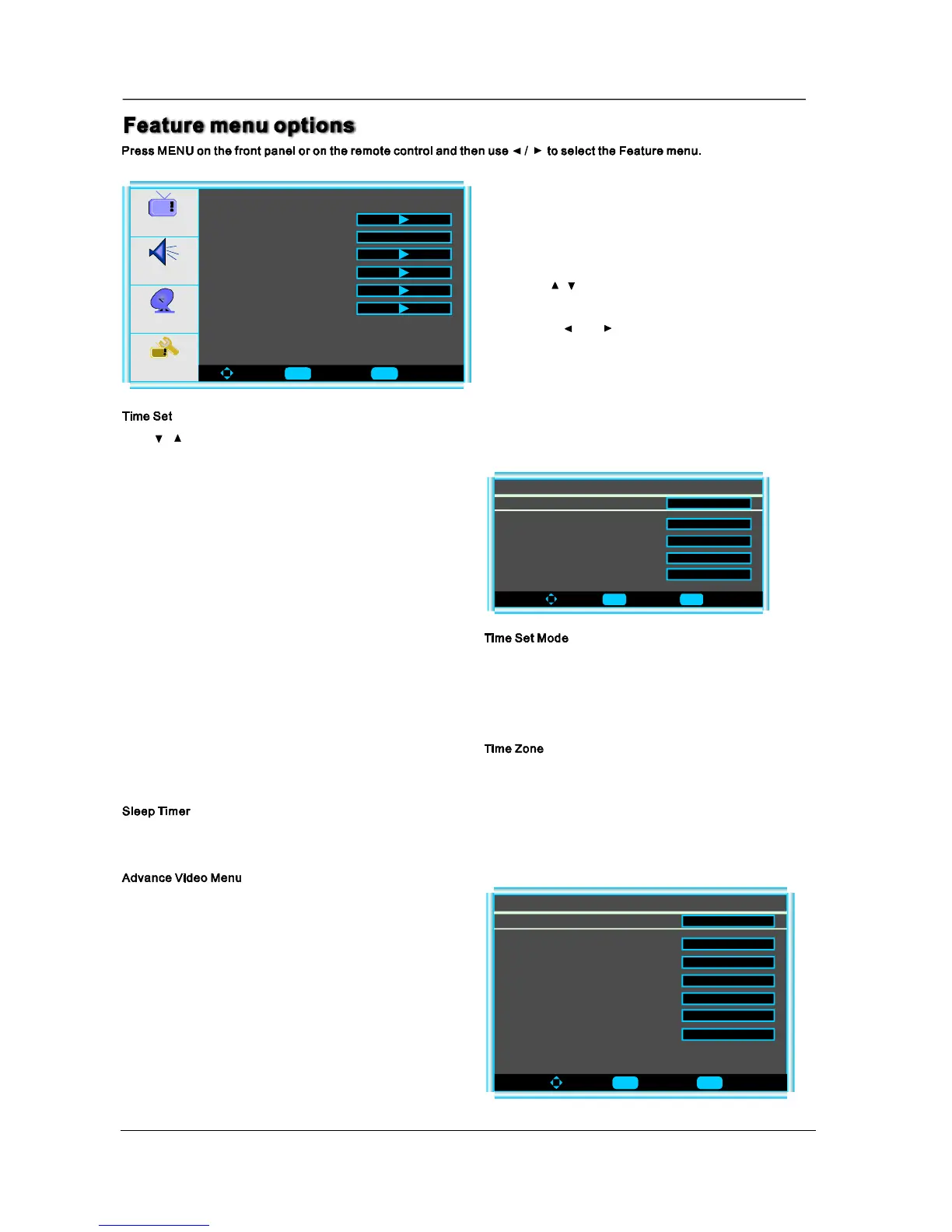
MenuOperation
Audio
Setup
Feature
ToMove ToSelect ToExit
TimeSet
SleepTimer
AdvancedVideoMenu
PasswordSet
ParentalControl
DigitalClosedCaption
Picture
Off
3.Whenyouaresatisfiedwithyouradjustment,press
toexitthemainmenu.MENU
2.Pressandbuttontoadjust.
1.Use/toselectwhatyouwanttoadjustinthe
menu.Feature
Press/buttonandthenuseEnterthetimesetmenuasbelowthatallowsyoutosetthetimetheTVwilldisplay.
ToMove ToSelect ToExit
TimeZone
TimeSetMenu
TimeSetMode
Year
Date
Time
Auto
Pacific
Dec29
12:00AM
2006
Youcanselectoneofautoandmanualtosetthetime.
Whenselectedauto,theitemofyear/dateandtimewillbe
disabledandcannottoadjust.Whenselectthemanual
mode,youcanpress ◄/► and ▲/▼ tosetthecorresponding
functions.
Press ◄/► toselectthetimezonesuchasPacific/Alaska/
Hawaii/Eastern/Central/Mountain.
Press ◄/► toselecttheamountoftimebeforeyourTVturnoffautomaticallyandpresstheEnterthatcanselectthe30min
/60min/90minandOFF.
PressEntertoentertheadvancevideomenuasbelow:
ToMove ToSelect ToExit
NoiseReduction--Speckle
AdvanceVideoMenu
NoiseReduction--Spatial
NoiseReduction--Temporal
ColorTemperature
3DY/C
AdaptiveContrast
Setting
Off
Off
Normal
On
Off
Preset
On
13
Enter Menu
Enter Menu
Enter Menu


 To Next Page
 Loading...