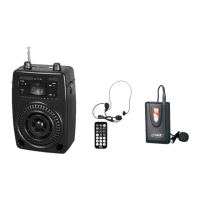
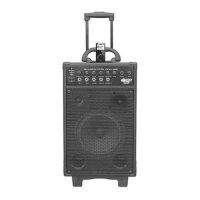
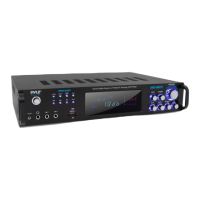
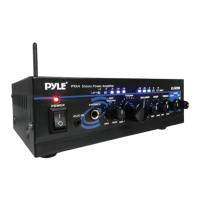
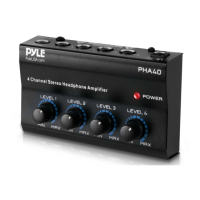
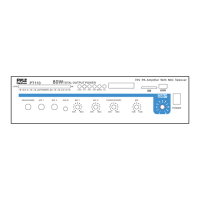
The Pyle PWMA5000BA is a Wireless BT Home Theater Preamplifier, designed as a Pro Audio Stereo Receiver System. This unit features a multimedia disc player, 2-channel UHF wireless microphone, MP3/USB reader, and AM/FM radio, delivering 3000 Watts of power.
Function Description:
The PWMA5000BA serves as a central hub for home theater and audio systems, offering versatile input and output options. It can amplify music and vocal programs, making it suitable for various settings like meeting halls, restaurants, schools, and stores. The built-in DVD player supports multiple disc formats including DVD Video, Super VCD, Video-CD, Audio CD, JPEG, and MP3. It also features a USB reader for MP3 files and a wireless BT receiver for streaming audio from external devices. The unit includes a 2-channel UHF wireless microphone system for karaoke or public address. An AM/FM tuner allows for radio reception with station storage capabilities.
Important Technical Specifications:
- Power Output: 3000 Watts MAX
- Speaker Output: 450 Watts x 2 @ 4 Ohm, 300 Watts x 2 @ 8 Ohm
- RCA Connection Cable Length: 3.94 ft.
- Power Cable Length: 4.92 ft.
- Wireless BT: Version 5.0, Range: 40+ ft.
- Mic Nominal Current Drain: < 80mAh
- Battery Operated Mics: Requires (2) x 'AA' Batteries (Each)
- Battery Life (Microphone): 10 Hours (Not Rechargeable)
- Amplifier Receiver Type: 4-Channel
- Impedance: 8 Ohm
- Aspect Ratio: 4:3/16:9
- Video System: PAL/NTSC
- Audio S/N Ratio: >90dB
- Frequency Range: +/-14 dB
- Quartz Synthesized Radio Tuner
- Radio Presets: 30 Station Memory
- CD/DVD Disc Compatibility: DVD/CD/VCD/CD-R/CD-RW/MP4
- Power Supply: 115/230V, Switchable
- Dimensions (L x W x H): 16.9" x 13.8" x 5.6"-inches
- Subwoofer RCA (L/R) Output
- Optical (Digital) Audio Output
- Video Outputs: S-Video RCA YPbPr (Component Video)
- Output dB (Decibel) Level LED Display
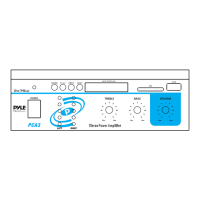
- Mic Echo Treble Bass Volume Subwoofer Controls
- Sleek Brushed Aluminum and Metal Chassis Housing
- Built-in Ventilation Cooling Fan
- Universal Rack Mountable
Usage Features:
- Wireless BT Operation: Easily connect external devices (smartphones, computers) via Bluetooth. Turn on the amplifier, set volume to MIN, pull out the BT antenna, press the BT/line button, and search for "PYLE PRO" on your device. A voice prompt confirms successful pairing.
- Disc Playback: Supports DVD, SVCD, VCD, Audio CD, JPEG, and MP3 discs. Discs are divided into titles/chapters (DVD) or tracks (Audio CD). The unit features basic playback controls like play, pause, stop, fast forward/reverse, previous/next, and A-B repeat.
- USB Reader: Play MP3 files directly from a USB disk. The unit prioritizes MP3/WMA files if multiple file types are present.
- Radio Tuner: AM/FM radio with manual and auto scan functions. Users can store favorite stations in continuous channels using the MEMORY button.
- Microphone Inputs: Two 1/4" microphone input jacks for karaoke, with adjustable echo, treble, bass, and volume controls.
- Audio Inputs: Dedicated jacks for MP3, AUX, and iPod/MP3 devices.
- Video Outputs: Multiple video output options including composite video, S-Video, and component video (YPbPr) for connecting to various display devices.
- Digital Audio Outputs: Coaxial and optical digital audio outputs for connecting to amplifiers with Dolby Digital or DTS decoders.
- Speaker Output Selector: Choose between A, B, or A+B speaker outputs.
- Remote Control: Full-function remote control for convenient operation of all features, including menu navigation, volume, input selection, and playback controls.
- OSD (On Screen Display): Provides on-screen information about playback status, time, language, and settings.
- Zoom Function: Magnify pictures during JPEG playback.
- Image Rotation: Rotate pictures during JPEG playback (Invert, Mirror, Left, Right).
- System Setup Menu: Comprehensive menu for configuring TV system, auto play, HD output, video type, password, language, audio output, contrast, hue, saturation, speaker setup, and digital setup.
- Memory Playback (Resume): Recalls the last stopped position on a disc even after power off or disc withdrawal.
Maintenance Features:
- Safety Precautions: Emphasizes reading the manual, proper ventilation, avoiding heat and moisture, and using a dry cloth for cleaning.
- Disc Handling: Advices against touching the playback side of discs, attaching paper/tape, and storing discs in direct sunlight, heat, or humid conditions. Recommends cleaning discs from the center outwards with a soft cloth.
- Troubleshooting Guide: Provides solutions for common issues such as the unit not turning on, remote control not working, no picture, disc playback problems, and no sound.
- Service Information: States that the unit is fully transistorized and does not contain user-serviceable parts. Refers servicing to qualified personnel and warns against removing the cabinet cover.
- Power-cord Protection: Instructions for proper routing of power cords to prevent damage.
- Moisture Condensation: Explains how condensation can occur and how to resolve it by warming up the unit.
- Disc Tray Care: Advises keeping fingers clear of the disc tray during closing to prevent injury or damage.
- Object and Liquid Entry: Warnings against pushing objects or spilling liquids into the unit.



 To Next Page
 General