14
when pushed closed in both directions. If the gate does
not close and lock with the Indicator turning green, fine
tune the gap between the handle and the gate, by using
the handle on the Marking Tool to measure this gap. This
gap should be about an 1/8” (3 mm).
ONE WAY STOP
The One-Way Stop can also be used in any other location
where you want to restrict the opening direction.
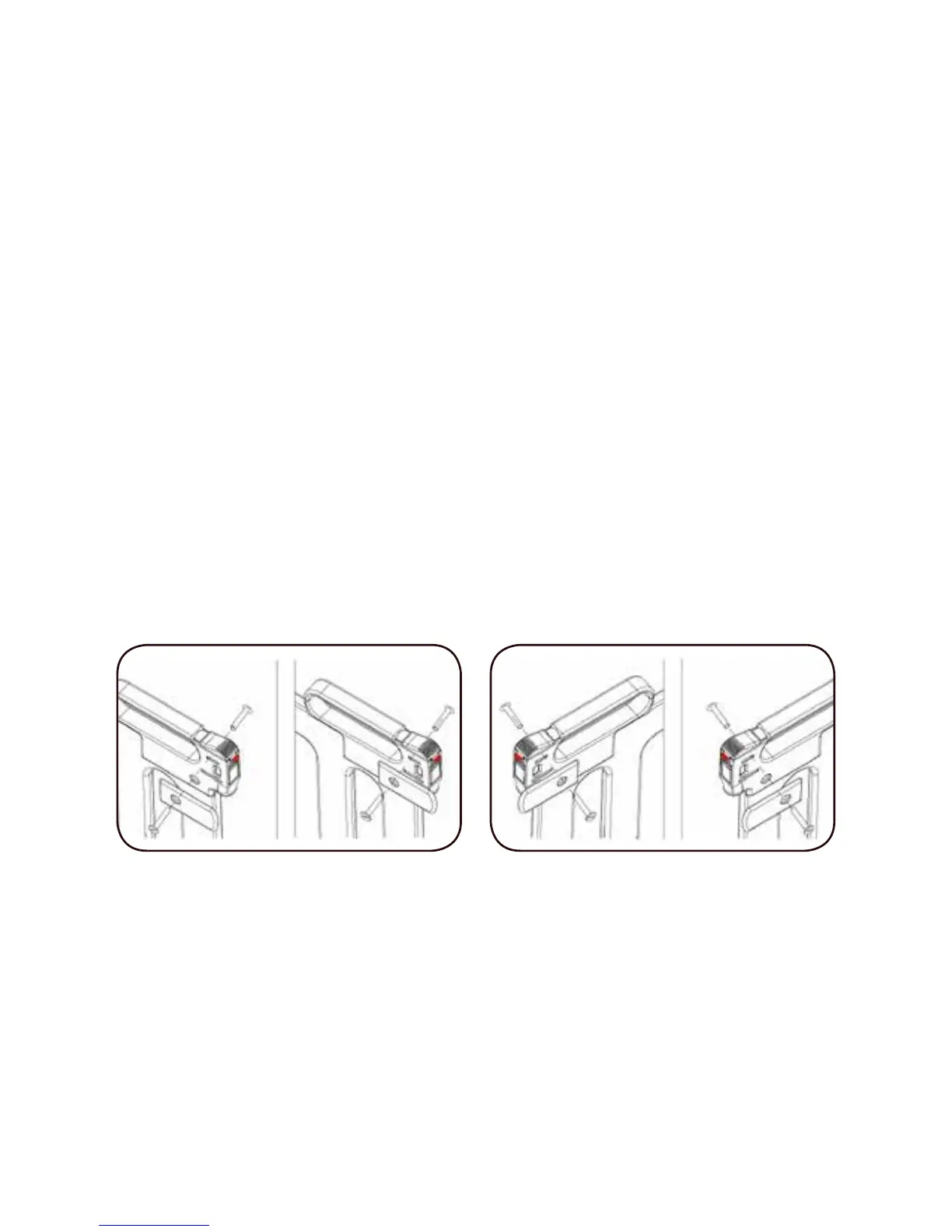
The one-way stop is attached on the lower side of the
handle. There is one right-hand stop and one left-hand
stop.
To install, use both Allen Wrenches to remove the screw
on the handle closest to the lock. Attach the one-way
stop for the side you have chosen to have the gate open
with the “lip” lining up with the bottom of the handle and
replace the screw.
INSTALLATION OF EXTENSIONS
There are two extensions included with your gate, a
long one and a short one. The long one will go on the
lock side and the short goes on the hinge side. When
Extensions are used, insert Bottom Spindle Housings
into the gate itself (Step 3). Insert Extension/s into the
Spindle Housings and push until all the way in both at the


 To Next Page