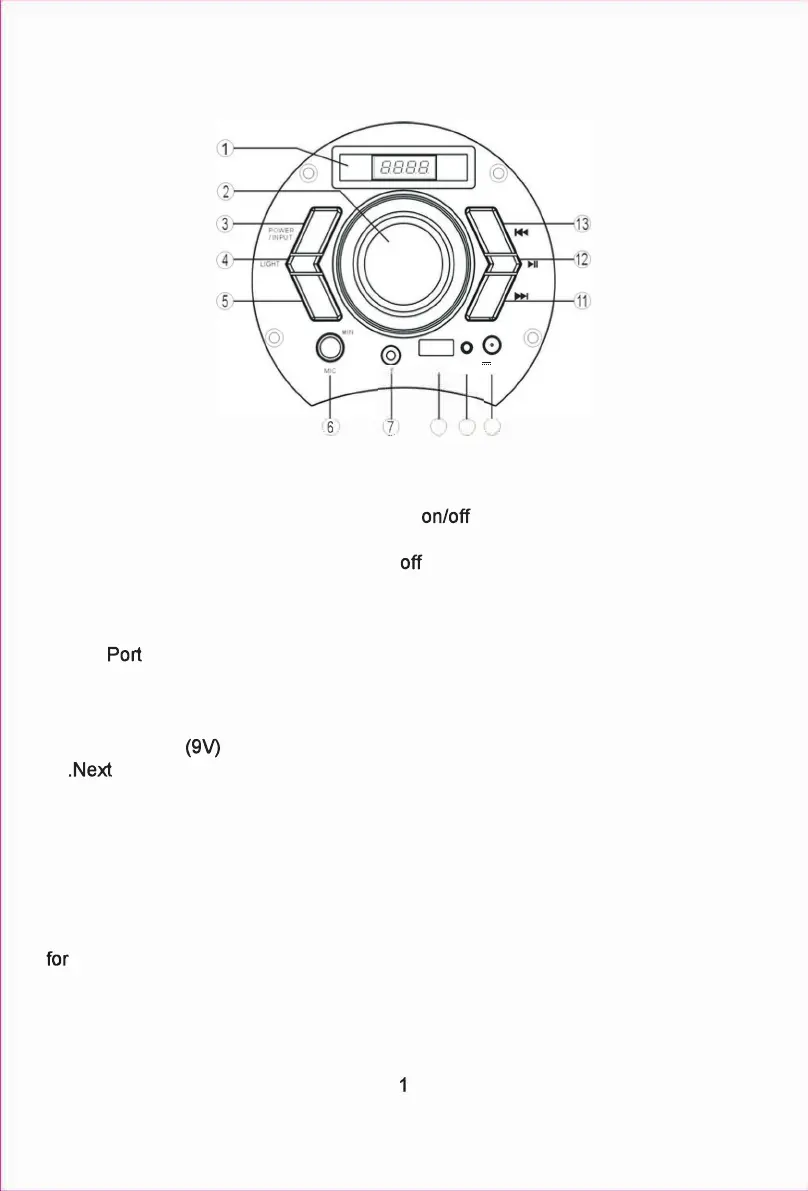
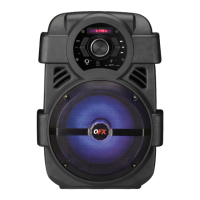
Control Panel Function
1.LED Display
2. Volume Adjustor
3.Power/lnput (Hold for 3 seconds to switch
the unit and mode selection for
Bluetooth,FM Ra dio,Line lnput,USB)
4.Light (Light mode selection & switch on/
button)
5.E
Q
6.Mic Input
7.Line Input
8.USB
9.C harging Indicator
RED= Charging
GREEN= Full C harged
1 0.DC interface
11 track
12.Play/Pause (In FM mode,hold for 3 seconds the device will enter into automatic
scan)
13.Previous track
SPECIFICATIONS
Power Output:
Frequency Response
main speaker:
Power Supply:
10W
50Hz-20KHz
DC9V
EQ
LINE-IN
USB
8 9 10
MAX
DC 9V
RED CHARGE
GREEN FULL


 To Next Page