1110
Qì Harmony / User Manual
Qì Harmony / User Manual
Speed
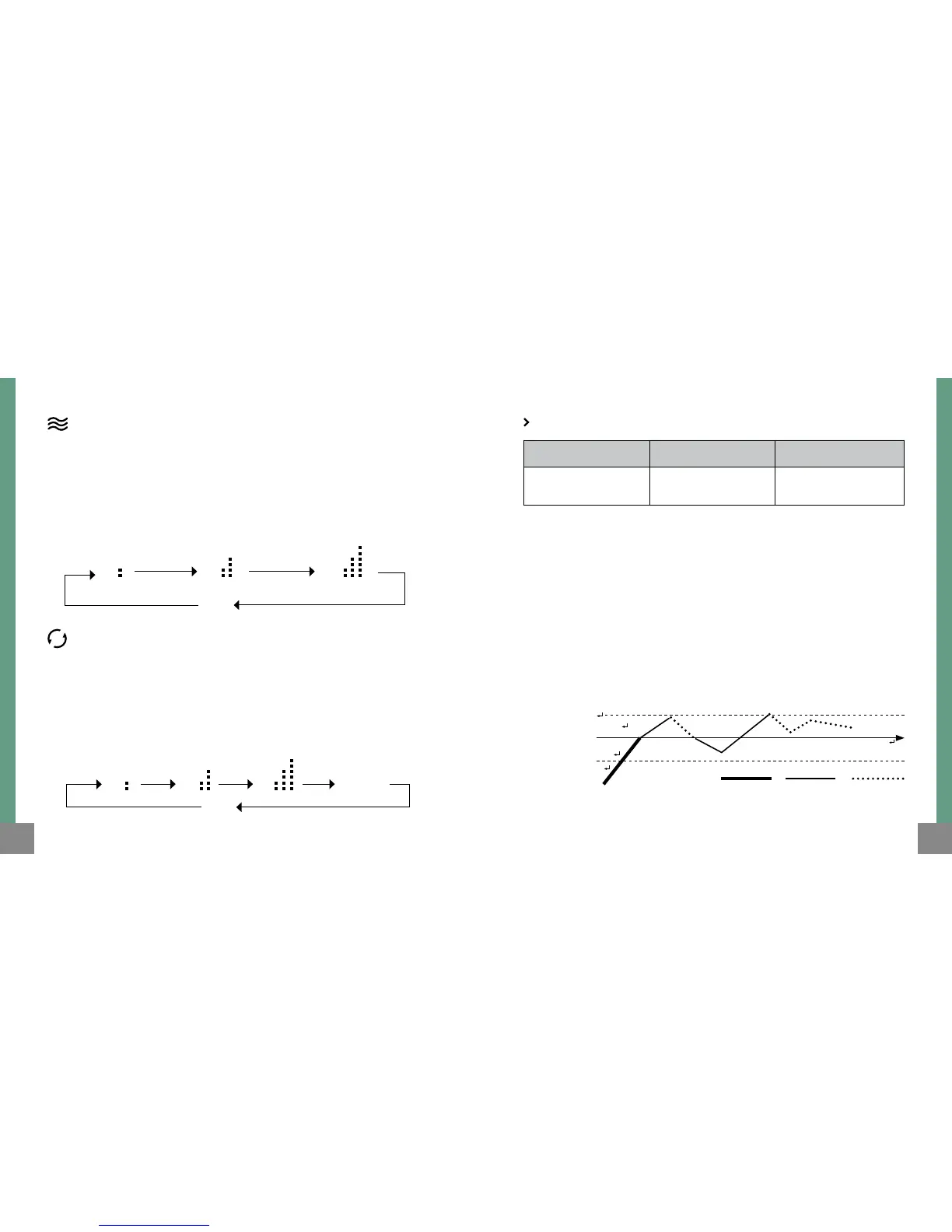
When operating manually you can choose the intensity of the heat
pressing repeatedly the VEL. button. This will allow you to quickly increase
the temperature and have direct control over the energy consumption
of the heater. The corresponding manual operating light indicator and
status bar will turn on. The sequence of intensities is as follows:
Automatic temperature control mode
(AI System)
When the heater is manually operated you can also choose the automatic
temperature control mode (electronic thermostat) by pressing the button
(AI). The corresponding manual operating light indicator and status bar
will turn on. The sequence of temperature is as follows:
The temperatures that can be selected are:
Please note: These are referential temperatures and can vary according
to the original temperature, dimensions, insulating conditions, air ows
and orientation of each room.
The heater will operate according to the room temperature obtained
by generating repetitive cycles of “on hold” and “operating” (Automatic
temperature control mode), to maintain an even temperature.
Operating diagram
Baja (B) Media (M) Alta (A)
17°C ~ 19°C 20°C ~ 22°C 23°C ~ 26°C
B M A
manual
cycle
( ) ( ) ( )
AI
T° Selec. +2°C
T° Selec. -2°C
T° Selec. (°C)
Medium
intensity
Low
intensity
On
hold
B
cycle
( )
A
( )
M
( )
(800W) (1400W) (2000W)



 To Next Page