15
Usage of water glass shelf:
1. Put the frame aside to take out the glass shelf for about 50mm first, then raise the
right side for about 30 degrees.
2. Take it out of the refrigerator.
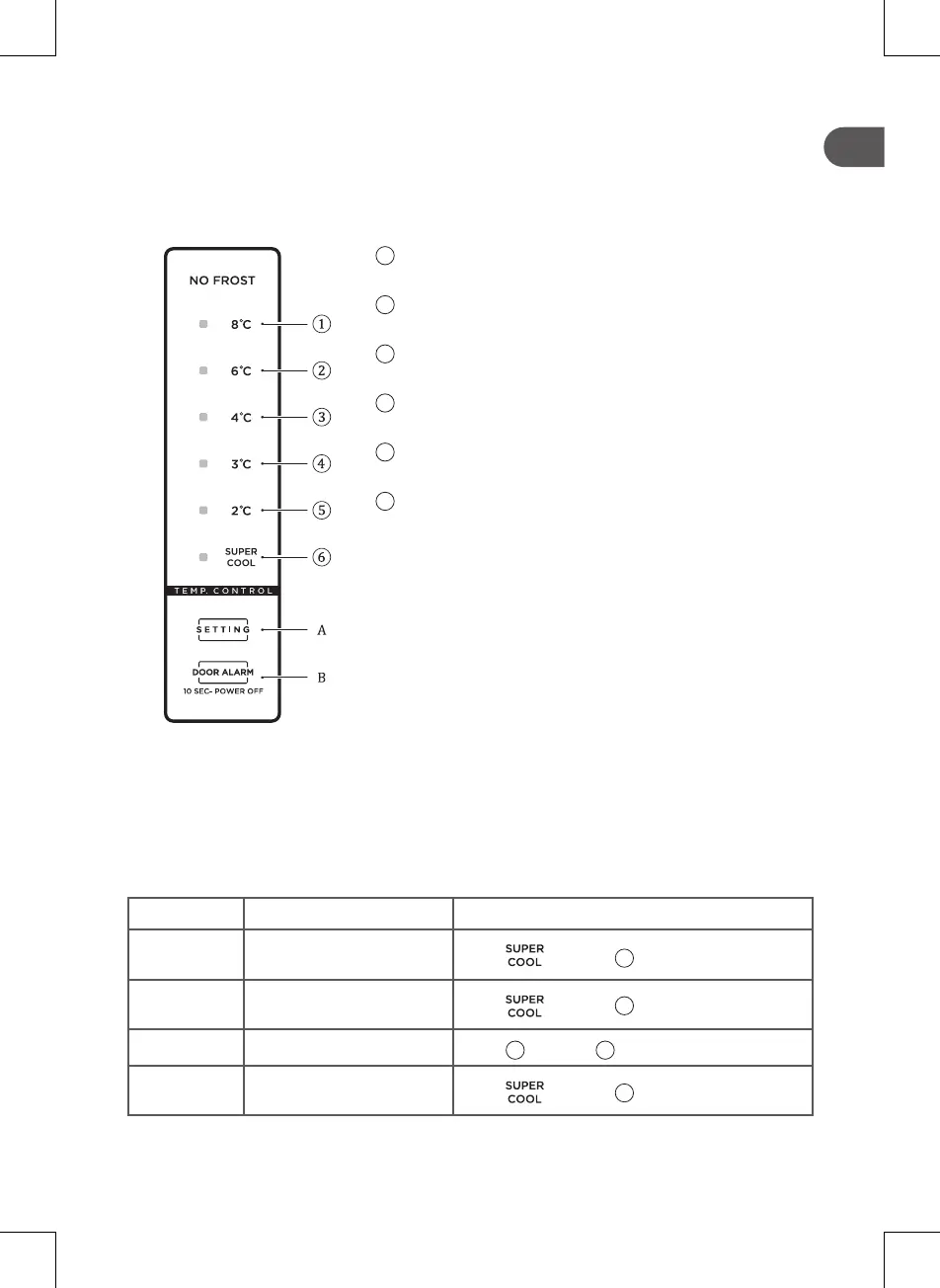
5.2. CONTROL PANEL
1
Setting 1: the setting temperature is 8°C
2
Setting 2: the setting temperature is 6°C
3
Setting 3: the setting temperature is 4°C
4
Setting 4: the setting temperature is 3°C
5
Setting 5: the setting temperature is 2°C
6
Setting 6: Super cool
A. Temperature setting button
B. Standby button
■ When the refrigerator power is on
All temperature icons will shine for 3s after power on. When the refrigerator is powered
on for the first time, the default set temperature is 4°C.
After that, every time you start the refrigerator, it will run in accordance with the set
temperature before last power off.
■ Error codes
On the occurrence of a failure, the corresponding icons will give a combined blink.
The error codes and description are shown as follows:
Error Code Error Description Display
E1
Refrigerator temperature
sensor failure
Icon “ ” & icon “
2
” shine at same time
E5
Refrigerator defrost
sensor failure
Icon “ ” & icon “
3
” shine at same time
E6 Communication error
Icon “
2
” & icon “
4
” shine at same time
E7
Ambient temperature
sensor failure
Icon “ ” & icon “
4
” shine at same time



 To Next Page