Getting Started
Install QNAP QuRouter App, by scanning QR code printed on packaging label, or search
for QNAP QuRouter in the Google Play Store or Apple App Store
Getting Started
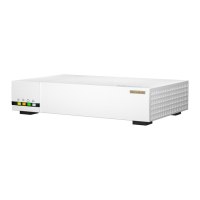
Blinking Blue: Your QMiroPlus-201W is ready to setup
Solid Blue Connection is good
Solid Red No internet
Solid Green System is starting up
Note: Need press power button boot up NAS(QTS) for device LED status


 To Next Page
 Loading...