Need help?
Do you have a question about the QPIX PF1005WV and is the answer not in the manual?
Details the physical and functional characteristics of the digital photo frame, including screen, sensors, and supported formats.
Lists all the components included with the digital photo frame upon purchase.
Identifies and describes the components located on the back of the digital photo frame.
Details the ports and connectors available on the right side of the digital photo frame.
Provides instructions on how to safely clean the screen and body of the digital photo frame.
Step-by-step guide on how to connect the digital photo frame to a power source.
Covers initial device startup, Wi-Fi connection, language, date, time, and city settings.
Guide on connecting with friends and family using the VPhoto mobile application.
Instructions for connecting with friends and family using email.
Learn how to post photos and videos to the frame using the VPhoto mobile app.
Instructions for sending photos and videos to the frame via email.
Overview of the main menu interface and its icons.
Manage photos, including slideshows, background music, editing, copying, and favorites.
Details how to play, delete, and copy video files on the digital photo frame.
Covers playing, deleting, and copying music files on the digital photo frame.
View and adjust the calendar function on the digital photo frame.
Explore different clock display options and appearances.
Set up, edit, or delete alarms on the digital photo frame.
Access and view weather information for selected locations.
Access device settings for frame, Wi-Fi, system, and other customizations.
Instructions on connecting the digital photo frame to a computer via USB.
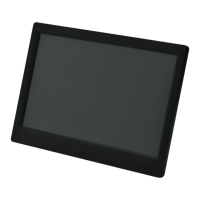
This document describes the QPIX Wi-Fi Digital Photo Frame (DPF), model PF1005WV, a device designed for displaying digital photos and videos, and playing music. It offers a user-friendly experience for sharing and enjoying multimedia content with friends and family.
The QPIX Wi-Fi Digital Photo Frame serves as a central hub for displaying your favorite pictures and videos. It features a 10.1-inch IPS touch panel with a 1280 x 1080 pixels resolution and a 16:10 aspect ratio, ensuring clear and vibrant image display. The built-in G-sensor allows for automatic switching between landscape and portrait display modes, adapting to the frame's orientation.
Beyond simple photo display, the DPF offers a range of convenient features for daily life. It includes a weather display, an alarm clock, a calendar, and dedicated video and music players. This multifunctionality makes it more than just a photo frame, integrating useful tools into a single device.
The DPF supports various multimedia formats, making it highly versatile. For photos, it handles JPG, JPEG, BMP, PNG, and other common formats. For videos, it supports MPEG-1, MPEG-2, MPEG-4 (AVI/Xvid), and M-JPEG. Audio playback is also comprehensive, with support for MP3, WMA, WAV, and more. This broad compatibility ensures that most of your existing media files can be enjoyed on the frame.
Connectivity is a key aspect of this digital photo frame. It features Wi-Fi capabilities, allowing it to connect to the internet and facilitate easy sharing of content. It also includes slots for SD (SDHC/MMC) memory cards and USB memory sticks, providing multiple options for loading media. The device comes with 16 GB of built-in memory, offering ample storage for a large collection of photos and videos.
The DPF can be connected to smart devices (phones, pads, or tablets) via the VPhoto app for iOS and Android, enabling seamless photo and video sharing from anywhere. Additionally, content can be sent to the frame via email, offering an alternative method for sharing with friends and family.
Getting started with the QPIX Wi-Fi Digital Photo Frame is straightforward. After installing the bracket and connecting to power, the DPF guides you through initial setup steps, including connecting to Wi-Fi, changing the system language, and setting the local date, time, and city.
Connecting with friends and family to share content is a core feature. Users can bind their frame to the VPhoto app on their smart devices. This involves logging into the VPhoto app, requesting a connection code from the DPF's settings, and entering it into the app. The connection code is valid for 12 hours and can be refreshed if needed. Once bound, photos and videos can be posted directly from the VPhoto app to the digital photo frame.
Alternatively, users can connect with friends via email. This involves sending an email with a specific subject ("bdConnectionCode" followed by the frame's unique connection code) to the frame's unique mailbox ID, which can be found in the "My Frame" settings. The DPF also allows for user management, where email addresses can be added directly on the frame, enabling friends to send photos and videos.
The main menu of the DPF provides access to all its functions, including Photo, Video, Music, Calendar, Clock, Alarm, Weather, and Settings. The touch interface makes navigation intuitive.
For photo management, the DPF offers several features:
Video playback is also supported, allowing users to play videos from various storage locations. Similar to photos, videos can be deleted and copied within the frame.
Music playback is a dedicated feature, enabling users to play music from internal storage, SD card, or USB. Music files can also be deleted and copied.
The DPF integrates several utility functions:
The "Settings" menu provides comprehensive control over the DPF's functionalities:
The DPF also supports software upgrades. When a new version is available, users will be prompted to download and install it, ensuring the device stays up-to-date with the latest features and improvements.
Connecting the DPF to a computer via the provided USB cable allows for direct file management. The internal storage of the DPF appears as a drive on the computer, enabling users to transfer files.
Proper maintenance ensures the longevity and optimal performance of the QPIX Wi-Fi Digital Photo Frame.
The QPIX Wi-Fi Digital Photo Frame is designed to be a durable and easy-to-maintain device, with clear guidelines provided for its care and upkeep.
 General
| Resolution | 1024 x 600 pixels |
|---|---|
| Aspect Ratio | 16:9 |
| Frame Material | Plastic |
| Power Supply | AC adapter |
| Audio Formats | MP3, WMA |
| Display Size | 10.1 inch |
| Connectivity | USB |
| Memory Card Support | SD, MMC |
| Image Formats | JPEG |
| Video Formats | AVI, MOV, MP4 |


 To Next Page