151.592UK User Manual
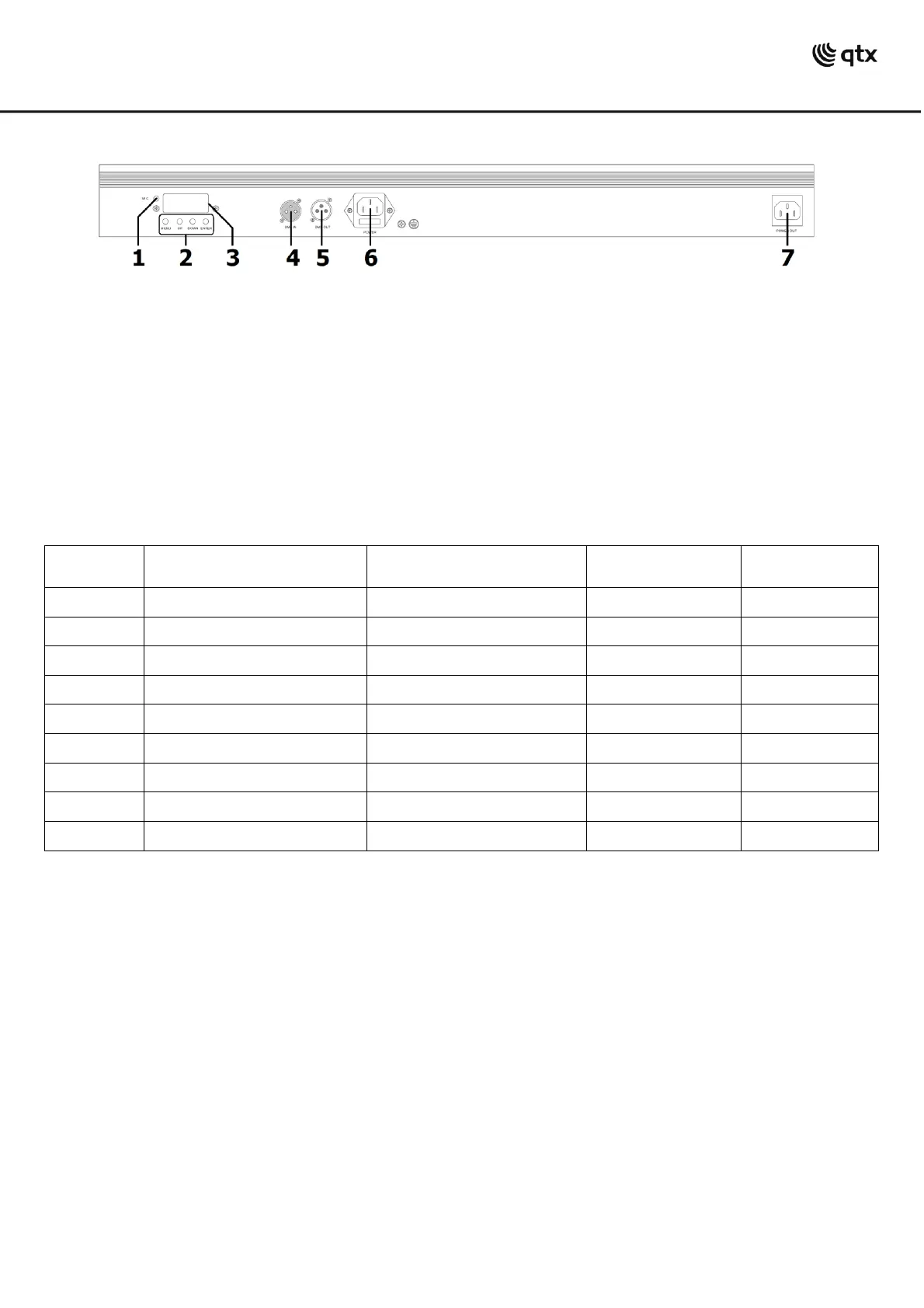
Side panel
Internal Settings
Using the four control panel buttons (2), the C-BAR can be set to various modes.
Press the MENU button to display the different functions (see table below). Use the UP/DOWN arrow buttons
to make your selection and press the ENTER button to [enter] a value or confirm the selection.
Standalone operation
The C-BAR can be operated without external control by selecting one of the Internal show modes from the
control panel menu. These are Shown in the Internal Settings section above.
Master/slave operation
As shown in the Internal settings above, a C-BAR fixture which is set to Master mode () may be
connected via DMX lead to control further C-BAR units by setting subsequent units to one of 2 slave modes
( or )
In this mode, the slave C-BAR units will react to the master C-BAR which is working in standalone mode.


 To Next Page