150.449UK Manual
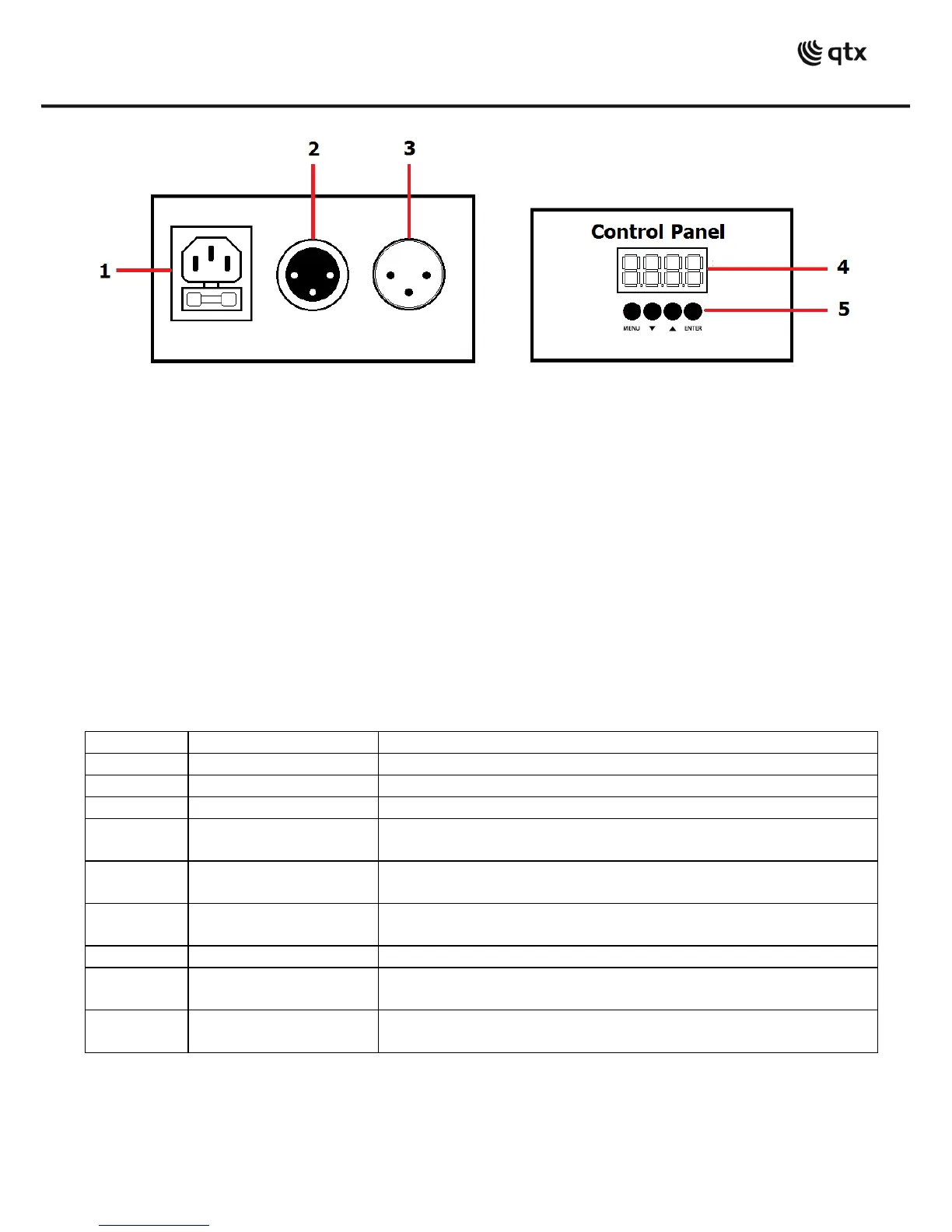
1.
IEC mains in
2.
DMX signal in XLR socket
3.
DMX signal out XLR plug
4.
7 segment LCD display
5.
Manual control
Manual control menu
Press the “menu” button to enter the setting menu.
Press “up” and “down” to navigate through various setting options.
Press “enter” to enter the desired setting.
Choose set value by “up” and “down” buttons and confirm setting by pressing “enter”.
,,,or
= reversed pan direction, = normal pan
directtion
= reversed tilt direction, = normal tilt
directtion
/ (normal or inverted display)
= max pan angle 540, = max pan angle
360,= max pan angle 180
= max tilt angle 180, = max tilt angle 90



 To Next Page