150.449UK Manual
Operation
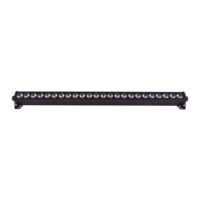
The MW-7 can operate in stand-alone, master, slave or DMX modes.
Stand-alone
For stand-alone mode, first choose . Then select one of the three pre-programmed auto
mode modes:
- auto mode 1, fast colour jump
- auto mode 2, slow colour jump
- auto mode 3, colour scroll
- sound to light mode
Master/slave
Additional MW-7 units can be controlled by one master unit allowing synchronisation. MW-7
will automatically recognized as master unit when set to , , or . To set
other units to slave, select from menu. Connect DMX out from the master unit to
the DMX in of the slave unit.
DMX mode
The MW-7 can be control by DMX signal, simply connect the DMX signal source to the DMX in
of the unit via a balanced XLR lead. Extra fixtures can be controlled by the same DMX signal
by looping through the DMX out on the MW-7. Ensure the correct DMX start address is set
from the option on the manual control.
DMX channel value reference
8 channel mode:



 To Next Page