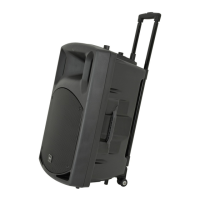
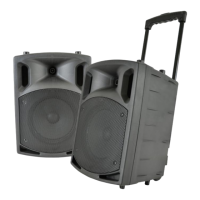
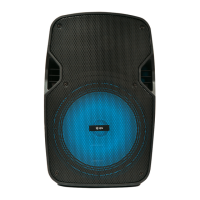
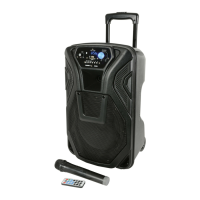
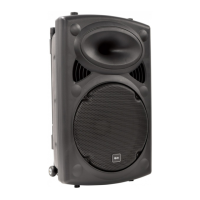
The QR12PABT and QR15PABT are portable PA units designed for a wide range of applications, from public address for presentations to outdoor karaoke. These versatile units are packed with features within a compact, manageable enclosure.
Function Description
These portable PA units offer comprehensive audio input and output capabilities, along with integrated media playback and recording. They are equipped with a 15Vdc power adapter for mains operation and an internal 12V rechargeable battery for portable use, providing up to 8 hours of operation. Two VHF handheld microphones are included for wireless vocal performance, complemented by two 6.3mm jack inputs for wired microphones or guitars. An AUX line input (3.5mm stereo jack) and twin RCA inputs allow for connection of external line-level sources such as CD players or smartphones. For output, a twin RCA line output is provided, carrying the overall main mix, which can be fed to additional active speakers or PA units.
The units feature a master 2-band EQ (Bass and Treble) for tone shaping and an Echo effect specifically for microphones, enhancing vocal performances. A Voice-Controlled Volume (VCV) function is available, which temporarily mutes the media player when microphone audio is detected, useful for announcements.
An internal USB/SD/FM/BT media player is integrated, supporting playback of compressed digital audio files from USB memory sticks or SD cards. It also includes an FM radio tuner with automatic scanning and storage of stations. Bluetooth pairing with a TWS (True Wireless Stereo) function allows for wireless audio streaming from smart devices. The TWS feature enables two identical QRPABT units to be paired for stereo sound, with one unit playing the left channel and the other the right. Additionally, the media player has a record function, allowing external inputs to be recorded as .wav files onto inserted USB or SD media. An IR remote control is provided for convenient operation of the media player.
For mounting, the units feature an integral 35mm pole mount, allowing them to be placed on speaker stands for optimal sound dispersion.
Important Technical Specifications
- Main Driver: QR12PABT: 300mmØ (12"); QR15PABT: 380mmØ (15")
- Dimensions: QR12PABT: 570 x 350 x 310mm; QR15PABT: 685 x 440 x 380mm
- Weight: QR12PABT: 14.0kg; QR15PABT: 18.4kg
- Power Supply: 220-240Vac 50Hz (IEC) or 12/15Vdc @ 3A or internal battery
- VHF Mic Batteries: 4 x AA (for two handheld microphones)
- Amplifier Output: 50W + 50W max.
- Battery Life: Up to 8 hours
- Controls: Mic/guitar volume, Echo, Bass, Treble, Master Volume & VHF mic volume, VCV
- Inputs: Mic.1/guitar, Mic.2 (6.3mm jack), Line In (L+R RCA), AUX (3.5mm stereo jack)
- Carrier Frequency: 174.1MHz + 175.0MHz (for VHF microphones)
- Media Player: USB/SD/FM/Bluetooth with record function
Usage Features
Powering Up and Battery Management: The unit can be operated from mains power using the supplied IEC lead or from its internal 12V rechargeable battery. The battery status is indicated by a POWER LED (green for charged, red for low). When connected to mains and the POWER switch is off, the internal battery recharges, indicated by an orange CHARGE LED, which turns green when fully charged. It's recommended to store the unit at an ambient temperature and avoid storing with a fully discharged battery.
Initial Setup: Before operation, all VOLUME and ECHO controls should be turned down (anti-clockwise). The POWER switch should be turned on, and the main VOLUME control set part way. The BASS and TREBLE controls should be at the 12-o-clock position (vertical). VCV should be switched off initially.
VHF Microphone Operation: Insert AA batteries into the handheld microphones, ensuring correct polarity. Turn on the VHF receiver (16) and gradually increase the VHF VOL controls (6). Switch on each wireless mic; the rear panel RF LEDs will light. If a transmitter's LED is dim, replace the battery. Gradually increase the VHF VOL controls, testing each microphone for output. To avoid feedback, maintain a sensible distance from the speaker and point the microphone away from it. The ECHO control (4) can be adjusted for vocal effects. BASS and TREBLE (15, 3) controls can be used to cut or boost frequencies. Remember to switch off transmitters and remove batteries when not in use for extended periods.
External Inputs: Wired microphones or guitars can be connected to the 6.3mm jack inputs (8), controlled by the MIC VOL control (5). Line-level sources like CD players or smartphones can be connected via the twin RCA (7) or 3.5mm stereo AUX (9) inputs. The twin RCA line output (17) allows the main mix to be sent to other active speakers.
VCV Function: The VCV button (14) activates the Voice-Controlled Volume function, which automatically reduces the media player's volume when microphone input is detected, useful for voice-overs or announcements.
Internal USB/SD Player & Bluetooth Receiver: Insert a USB memory stick or SD card with audio files into the respective slots. Playback usually starts automatically. If the LCD shows "AUX," press the MODE button to select USB or SD. The Master Volume control (13) adjusts the output level.
- MODE button: Switches between USB/SD/FM media or Bluetooth.
- Previous/Next Track: Use the K buttons for previous/next track (hold for volume -/+).
- Play/Pause/FM Scan: The II button plays/pauses playback. In FM mode, hold this button to auto-scan and store radio stations.
- Record Function: Pressing REC initiates recording of external inputs to USB/SD media as a .wav file. Press REC again to stop.
- Bluetooth Pairing: Search for "bluetooth" on your smart device and pair with the QRPABT unit.
- TWS (True Wireless Stereo): With two QRPABT units, set both to Bluetooth, then press and hold Play on both. The LEDs will flash blue, then solid blue when paired. When TWS pairing is active, LEDs will flash red, then solid red. Pair the master unit to a smartphone; it will play the left channel, and the other QRPABT will play the right.
Remote Control: An infra-red remote control provides additional functions for the media player, including MUTE, REPEAT modes, numerical track access, and direct volume control. Remove the plastic tab to activate the battery.
Maintenance Features
Cleaning: Use a soft cloth with a neutral detergent to clean the cabinet, panel, and controls. Avoid using solvents, as they can damage the equipment.
Troubleshooting: The manual provides a troubleshooting guide for common issues such as no output, no VHF output, music cutting out, or media player issues. For example, if there's no output, check the POWER switch, battery charge, mains connection, and IEC fuse. If the VHF output is absent, check the handheld microphone batteries, power, and RF LEDs. For media player issues, verify USB/SD connection, file types, MODE selection, and volume levels.
Safety: To prevent fire or electric shock, do not expose the appliance to rain or moisture. Do not remove the cover; there are no user-serviceable parts inside. Refer servicing to qualified personnel. Ensure the mains supply voltage is correct and the lead is in good condition. Avoid water or particle ingress. If the internal fuse blows, refer to qualified service personnel. Remove batteries from VHF microphone transmitters if unused for long periods.
Disposal: The product is marked with the "Crossed Wheelie Bin" symbol, indicating it should not be disposed of with household or commercial waste. It must be disposed of according to local council guidelines.


 To Next Page
 General