Scale
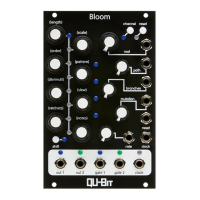
Scale can be adjusted by holding Shift, and rotating the encoder.
This will be indicated by the LEDs in between the encoders.
Scales are in the following order:
• Chromatic
• Major
• Minor
• Major Pentatonic
• Minor Pentatonic
• Harmonic Minor
• Whole Tone
• Unquantized
Order
Playback order can be adjusted by holding Shift, and rotating the encoder.
The playback order will be indicated by the LEDs in between the encoders.
Playback orders are in the following order:
• Forward
• Backward
• Pendulum
• Random
The LEDs will indicate the selected pattern by illuminating a group of two LEDs from top to
bottom.
Pattern
The Bloom can store up to 8 patterns in memory.
A Pattern can be selected by holding shift, and rotating the encoder.
To LOAD the selected pattern, hold shift and click the pattern encoder.
To SAVE the selected pattern, hold shift and hold the pattern encoder for ~3 seconds.
15


 To Next Page