REMOTE
HANDSET
Press
to
bring
product
in/out
of
standby
mode
Press
to
Mute/Unmute
the sound. In
Mute,
the selected source
indicator
on
front
panel will flash
on
and
off
Pr
ess
to
select previous source
Press
to
select next source
Press
to increase volume
Press
to decrease volume
The
selected source indicator
will
flash
when
Vena
responds
to
remote commands.
Standby Mode
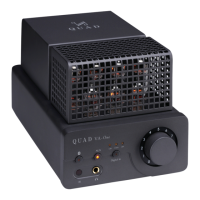
VA-One
will be in standby
mode
when powered on. The Bluetooth
LED
indicator
on
front panel
is
slightly light.
Press
any button
on
front panel
or
the standby button on the remote con
tr
ol
to
bring
VA-One
out
of
standby. At this
point,
VA-One
will enter
a state
of
20
seconds
without
output,
potentiometer will
automatically
return
to
zero
and
Bluetooth/AUX/Digital
LED
will be
brighted
cycle. VA-
One
will be switched
to
the Bluetooth source input when unit
is
activated
for
the First time,and switched
to
the
la
st
input source used after that.
Mute Mode
Users can press
Jilt'
on
remote control
to
bring VA-
One
in
or
out
of
Mute
mode
when playing music. When entering the
Mute
mode, the
LED
indicator will flash back.
3


 To Next Page