EasyManua.ls Logo

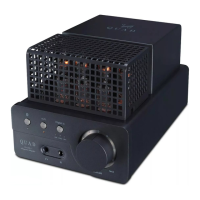
QUAD Vena II Play - User Manual

QUAD Vena II Play
28 pages
Print Icon
To Next Page IconTo Next Page
Loading...
Vena II Play
User Manual
Wireless Streaming Integrated Amplifier
Question and Answer IconNeed help?

Do you have a question about the QUAD Vena II Play and is the answer not in the manual?

Summary

IMPORTANT SAFETY INFORMATION

Electric Shock and Opening Warnings

Warnings about electric shock, not opening the device, and general safety precautions.

CONTROLS AND FUNCTIONS

Front Panel Overview

Identification of input selection indicators, volume controls, and buttons on the front panel.

Rear Panel Connections

Description of all input and output terminals, power switch, and ports on the rear panel.

INSTALLATION

Mains and Output Connections

Instructions for AC power connection and analog/loudspeaker output connections.

OPERATION

REMOTE HANDSET

Handset Controls and Preparation

Identifying remote controls, battery insertion, and initial setup.

PLAYING MUSIC

DTS Play-Fi Music Streaming

Introduction to streaming music using the DTS Play-Fi technology.

DTS PLAY-FI WIRELESS STREAMING TECHNOLOGY

Key Features Overview

Highlights the main advantages and features of DTS Play-Fi technology.

Technology Capabilities (Wi-Fi, Multi-Room, etc.)

Details on Wi-Fi streaming, multi-room audio, and multi-speaker support.

DOWNLOAD THE APP

App Download and Network Setup

Instructions for downloading the DTS Play-Fi APP and initial network setup.

Wireless Network Connection Modes

Guidance on connecting via WPS or Standard Wi-Fi modes.

WI-FI CONNECTION USING THE APP

Android Device Connection Guide

Step-by-step instructions for connecting an Android device using the Play-Fi APP.

Apple iOS Device Connection Guide

Step-by-step instructions for connecting an Apple iOS device using the Play-Fi APP.

WI-FI CONNECTION SETUP USING A WINDOWS PC OR MAC

PC;Mac Setup via Web Browser

Instructions for setting up Wi-Fi connection using a web browser on a PC or Mac.

Entering Network Password

Steps for entering the correct wireless network password.

APP OPERATIONS

DTS Play-Fi Windows Application

SPECIFICATIONS

Model and DTS Play-Fi Technology

Details on the Vena II Play model and its DTS Play-Fi capabilities.

Summary

IMPORTANT SAFETY INFORMATION

Electric Shock and Opening Warnings

Warnings about electric shock, not opening the device, and general safety precautions.

CONTROLS AND FUNCTIONS

Front Panel Overview

Identification of input selection indicators, volume controls, and buttons on the front panel.

Rear Panel Connections

Description of all input and output terminals, power switch, and ports on the rear panel.

INSTALLATION

Mains and Output Connections

Instructions for AC power connection and analog/loudspeaker output connections.

OPERATION

REMOTE HANDSET

Handset Controls and Preparation

Identifying remote controls, battery insertion, and initial setup.

PLAYING MUSIC

DTS Play-Fi Music Streaming

Introduction to streaming music using the DTS Play-Fi technology.

DTS PLAY-FI WIRELESS STREAMING TECHNOLOGY

Key Features Overview

Highlights the main advantages and features of DTS Play-Fi technology.

Technology Capabilities (Wi-Fi, Multi-Room, etc.)

Details on Wi-Fi streaming, multi-room audio, and multi-speaker support.

DOWNLOAD THE APP

App Download and Network Setup

Instructions for downloading the DTS Play-Fi APP and initial network setup.

Wireless Network Connection Modes

Guidance on connecting via WPS or Standard Wi-Fi modes.

WI-FI CONNECTION USING THE APP

Android Device Connection Guide

Step-by-step instructions for connecting an Android device using the Play-Fi APP.

Apple iOS Device Connection Guide

Step-by-step instructions for connecting an Apple iOS device using the Play-Fi APP.

WI-FI CONNECTION SETUP USING A WINDOWS PC OR MAC

PC;Mac Setup via Web Browser

Instructions for setting up Wi-Fi connection using a web browser on a PC or Mac.

Entering Network Password

Steps for entering the correct wireless network password.

APP OPERATIONS

DTS Play-Fi Windows Application

SPECIFICATIONS

Model and DTS Play-Fi Technology

Details on the Vena II Play model and its DTS Play-Fi capabilities.

QUAD Vena II Play Specifications

General IconGeneral
Power Output45W per channel (8Ω)
Frequency Response20Hz-20kHz (±0.5dB)
DACESS Sabre32 ES9018K2M
Damping Factor>100
Inputs2 x Optical, 1 x Coaxial, 1 x USB, Ethernet
OutputsSpeaker terminals, 1 x Pre-out
BluetoothYes (aptX HD)
Signal-to-Noise Ratio>108dB (A-weighted)
Power Consumption300W

Related product manuals